While developing, you’ll encounter both CSR and SSR. In this post, I’ll show how to use these two approaches in Next.js to make a GET request and receive JSON data.
1. The difference between CSR and SSR
CSR (Client-Side Rendering)
Concept When a website initially loads, the server sends only HTML and basic JavaScript code to the client; the content that will actually be visible is initially empty.
How it works When the JavaScript code runs on the client, the client requests and receives the necessary data from the server, then uses that data to build and render the page dynamically.
SSR (Server-Side Rendering)
Concept When a website initially loads, the server completes the initial HTML and sends it to the client, so the screen already displays completed HTML on the initial load.
How it works When a client visits a page, the server retrieves the data needed for that page, completes the HTML, and then sends it to the client.
Summary
CSR: Like placing furniture (data) in an empty room (browser) yourself; extra work is needed to fetch the furniture (data). SSR: An already furnished room (with data) is provided, so the initial load doesn’t show an empty screen.
When should you use each?
SSR
Search engine optimization (SEO): SSR provides completed HTML on the initial load, making it easier for search engines to understand and index the page’s content.
Initial loading performance: Since the content needed for the initial page load is already included, users can see it quickly.
Social media sharing: Completed HTML is provided, so social media can generate an appropriate preview when the page is shared.
When a single-page application (SPA) is not necessary: If an application is not complex and consists of multiple pages, SSR can quickly serve simple pages.
CSR
Single-page applications (SPAs) that need a high degree of interactivity: CSR may be more suitable when there is a lot of user interaction—for example, when data needs to be loaded or changed dynamically on the current page.
When fast performance is required even after the initial application load: With an SPA, only the necessary data is requested from the server after the initial load, allowing dynamic updates and a smooth user experience.
When reducing server load is important: CSR reduces server load during the initial load. After that, the client asynchronously requests the data it needs, distributing server load.
When you want to provide a rich user experience: CSR enables smooth page transitions and faster screen updates, making it possible to provide a rich user experience.
2. Create an app
First, let’s create a Next.js app.
yarn create next-app next-data-fetching
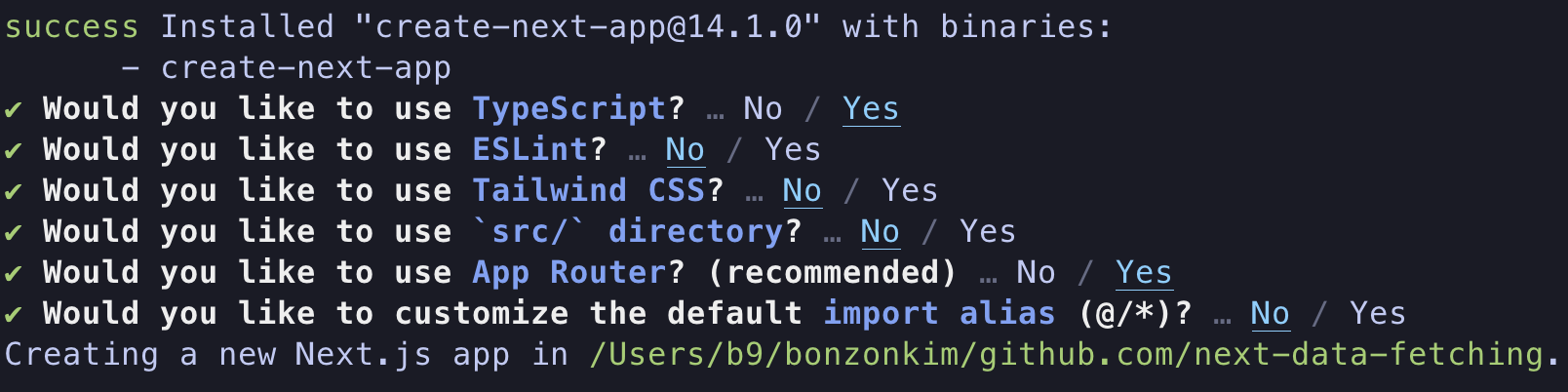
Since we’re only going to fetch data, I didn’t include ESLint or TailwindCSS.
Move into the project with cd next-data-fetching.
Run it with yarn dev.
 This is the default screen of a Next.js app.
3. Data fetching - CSR
URL for the GET request: https://nomad-movies.nomadcoders.workers.dev/movies
Delete all the contents of app/page.tsx and import useState and useEffect.
import { useState, useEffect } from 'react';

export default function Home() {
  const [movies, setMovies] = useState([]);
  return (
  <div>
  </div>
  );
}
3-1. “use client”
Next.js apps use Server Components by default, so you can’t use useState or useEffect.
To declare this as a client component, write "use client" at the very top.
"use client"
import { useState, useEffect } from 'react';

export default function Home() {
  const [movies, setMovies] = useState([]);
  return (
  <div>
  </div>
  );
}
3-2. getMovies()
Next, we’ll use fetch to retrieve the data.
Create a function called getMovies().
const getMovies = async () => {
	const response = await fetch("https://nomad-movies.nomadcoders.workers.dev/movies");
    const json = await response.json();
    setMovies(json);
    return json
}
getMovies() is an asynchronous function. It sends a request to the specified URL, converts the response to JSON, and sets movies through setMovies(). It then returns the JSON.
3-3. useEffect()
useEffect(() => {
	getMovies();
}, [])
We want getMovies() to run only once on the initial load, so we call it inside useEffect() and leave the dependency array empty.
The data is ready, so let’s display it on the screen.
return (
<div>
{JSON.stringify(movies)}
</div
)
Since this is JSON data, we use stringify() to convert it to a string.
"use client"
import { useState, useEffect } from 'react';

export default function Home() {
  const [movies, setMovies] = useState([]);

  const getMovies = async () => {
    const response = await fetch("https://nomad-movies.nomadcoders.workers.dev/movies");
    const json = await response.json();
    setMovies(json)
    return json;
  }

  useEffect(() => {
    getMovies();
  }, [])
  return (
  <div>
     {JSON.stringify(movies)}
    </div>
  );
}
This is what the final code looks like.
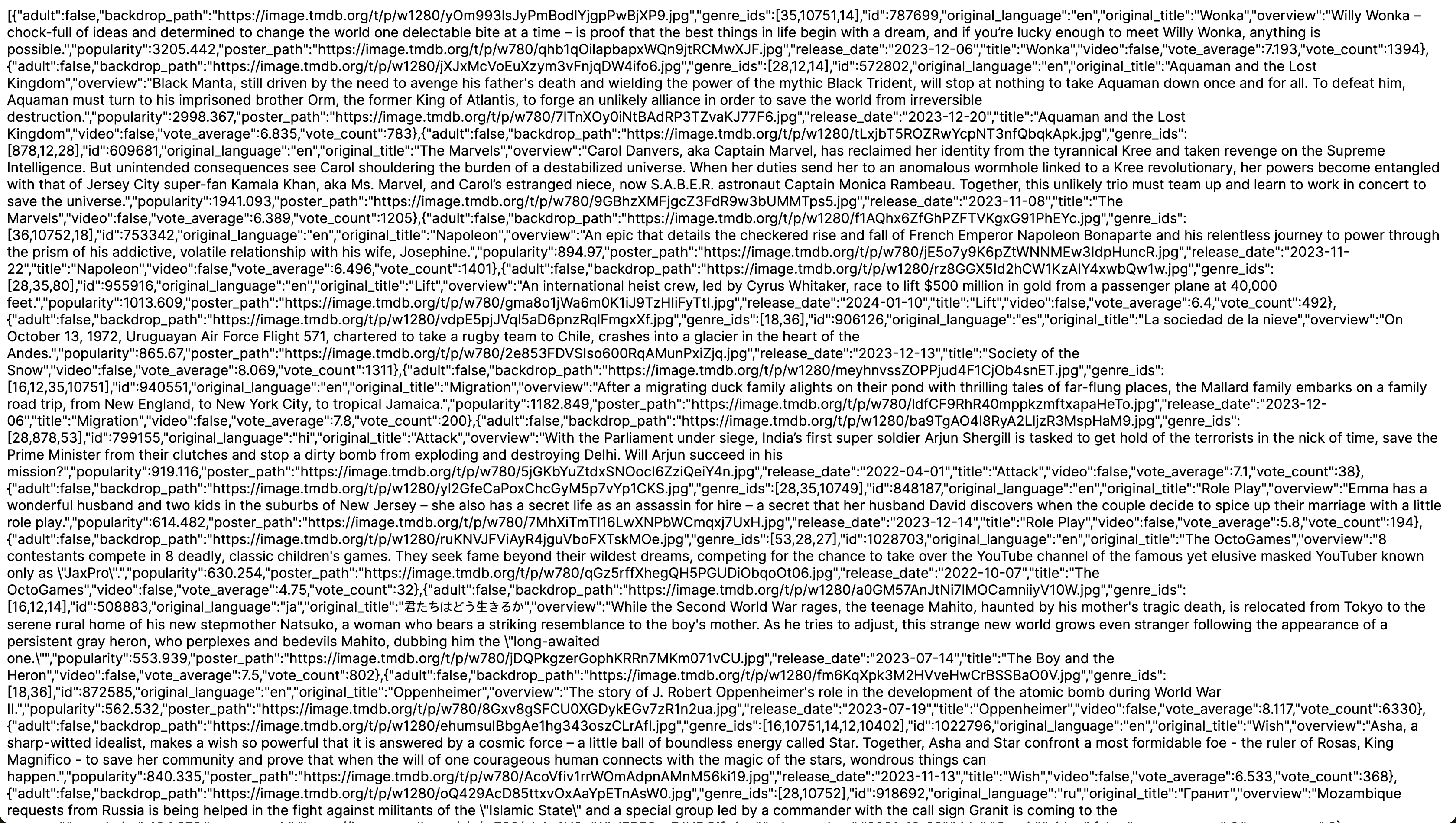
The fetched data is displayed correctly. But as explained above, CSR fetches the data after the initial load. Does it really take time to retrieve the data? Let’s check.
3-4. Add isLoading
While the data is loading, we’ll display Loading...; once all the data has been retrieved, we’ll display the data.
First, create isLoading and setIsLoading:
const [isLoading, setIsLoading] = useState(true);
Then, below setMovies(json) in getMovies(), add setIsLoading(false).
Use a ternary operator in the return statement to render the result:
{isLoading ? 'Loading.....' : JSON.stringify(movies)}
"use client"
import { useState, useEffect } from 'react';

export default function Home() {
  const [movies, setMovies] = useState([]);
  const [isLoading, setIsLoading] = useState(true);

  const getMovies = async () => {
    const response = await fetch("https://nomad-movies.nomadcoders.workers.dev/movies");
    const json = await response.json();
    setMovies(json);
    setIsLoading(false);
    return json;
  }

  useEffect(() => {
    getMovies();
  }, [])
  return (
  <div>
     {isLoading ? 'Loading.....' : JSON.stringify(movies)}
    </div>
  );
}
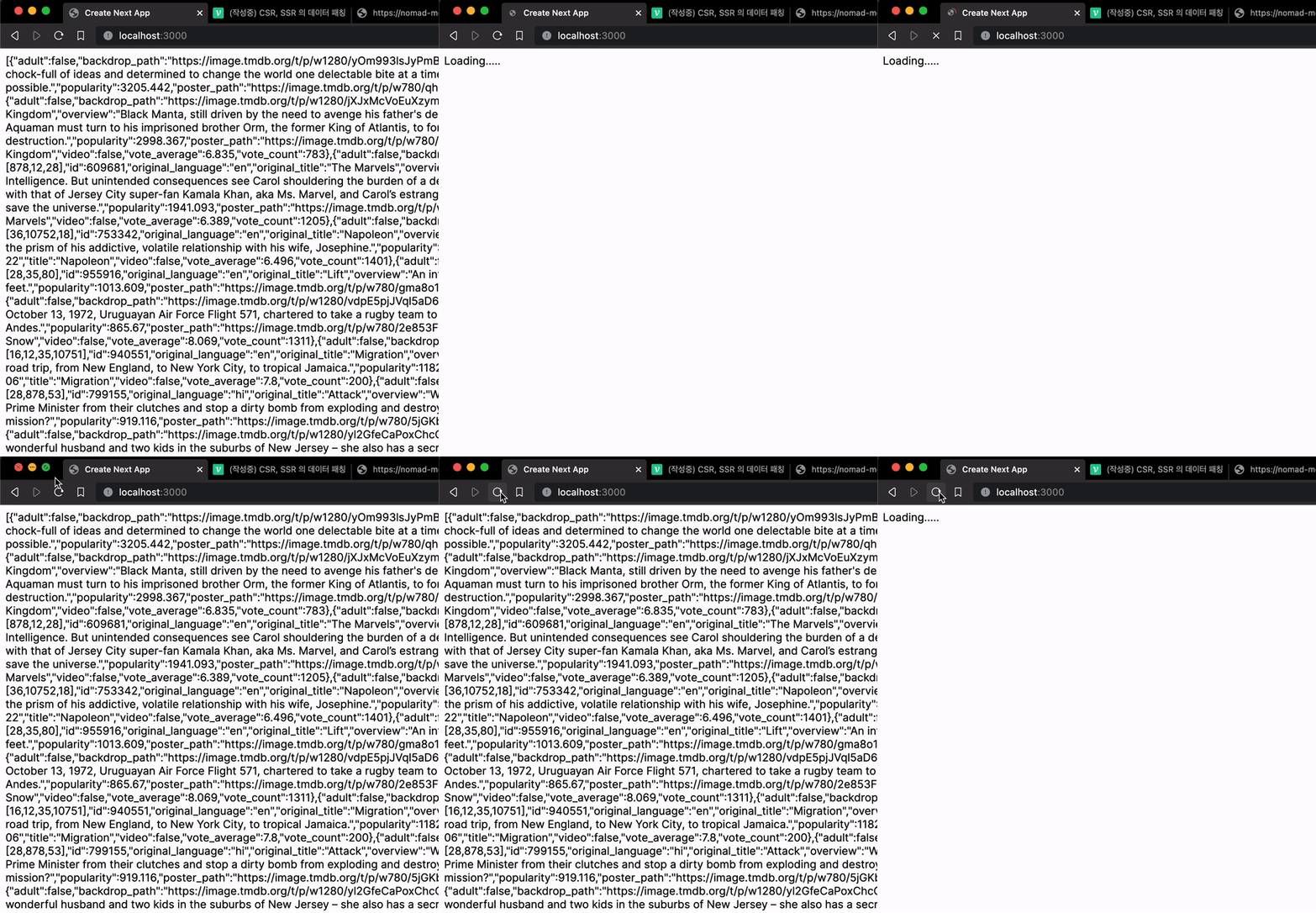
Once data fetching is complete, IsLoading becomes false and movies is rendered. Before fetching finishes, the text Loading..... is rendered.

Since this isn’t a large amount of data, it doesn’t take long, but there is a brief loading period because the data is fetched after the page appears.
4. Data fetching - SSR
Now let’s fetch data using SSR.
Restore the code to its initial state.
export default function Home() {
  return (
  <div>
      {JSON.stringify(movies)}
    </div>
  );
}
I left JSON.stringify(movies) as is because we’ll still use it.
4-1. getMovies()
As with CSR, write the asynchronous getMovies() function.
const getMovies = async () => {
  const response = await fetch("https://nomad-movies.nomadcoders.workers.dev/movies");
  const json = await response.json();
  return json;
}
The data-fetching code itself is no different from the CSR approach. The difference is how it is rendered.
4-2. Render the data
export default async function Home() {
  const movies = await getMovies();
  return (
  <div>
      {JSON.stringify(movies)}
    </div>
  );
}
Change the Home component into an asynchronous function, then assign the return value of getMovies(); to a variable named movies. Since getMovies() is asynchronous, it needs the await keyword.
Final code:
const getMovies = async () => {
  const response = await fetch("https://nomad-movies.nomadcoders.workers.dev/movies");
  const json = await response.json();
  return json;
}
export default async function Home() {
  const movies = await getMovies();
  return (
  <div>
      {JSON.stringify(movies)}
    </div>
  );
}
5. Comparing the results
CSR
SSR
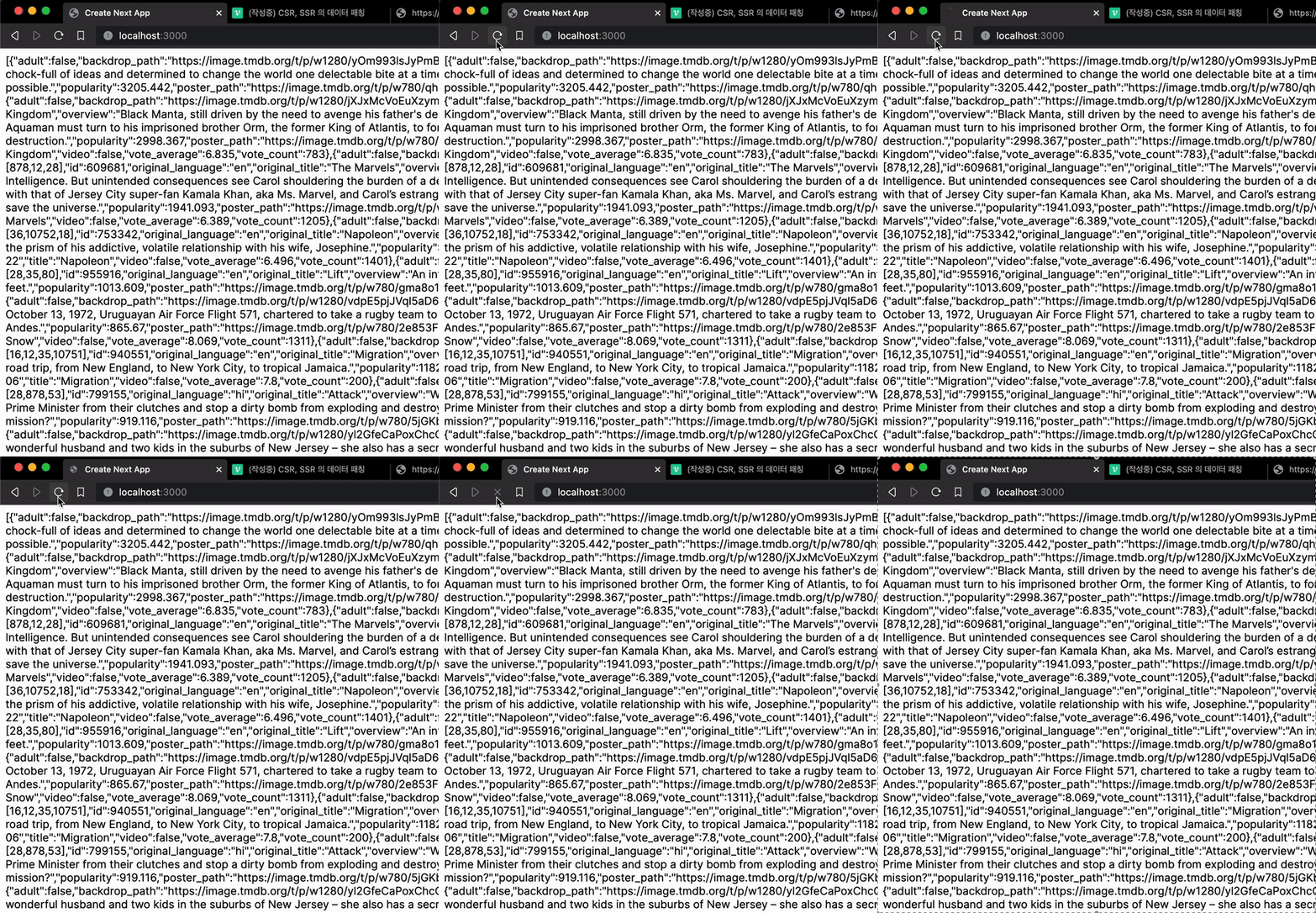
CSR fetches and displays data after the initial load, so there is a brief loading period. SSR, on the other hand, caches the data ahead of time, so it displays it right away without waiting.
However, SSR is not a magic solution that is always better, so use each approach according to the situation.
That’s all for this post. Thank you.
>> Home