I attended AWS Summit Seoul 2024, held on May 16 and 17. I only went on May 17, and this is my recap.
After scanning the QR code I received by email to enter, I was given a name tag. Although I work in SRE, DevOps, and systems engineering, I listed my role as systems engineer, so that is what appeared on it.
9:30 Keynote
The keynote began at 9:30 in the auditorium on the third floor. We could watch videos and hear talks by the AWS Senior Tech Evangelist, Infralab CTO Dongwook Lee, Sendbird CTO Jeongjin Koo, and AWS’s Werner Vogels and Matt Wood.
One of the key points was Frugal Architect. Cloud environments remove the hardware constraints that existed on premises and make it easy to build, with high scalability and flexibility. However, costs can be higher than expected, so an architecture that takes all of this into account and sets constraints is called Frugal Architecture. I thought this was an important point for a junior engineer to keep in mind. (Although our company is on premises.)
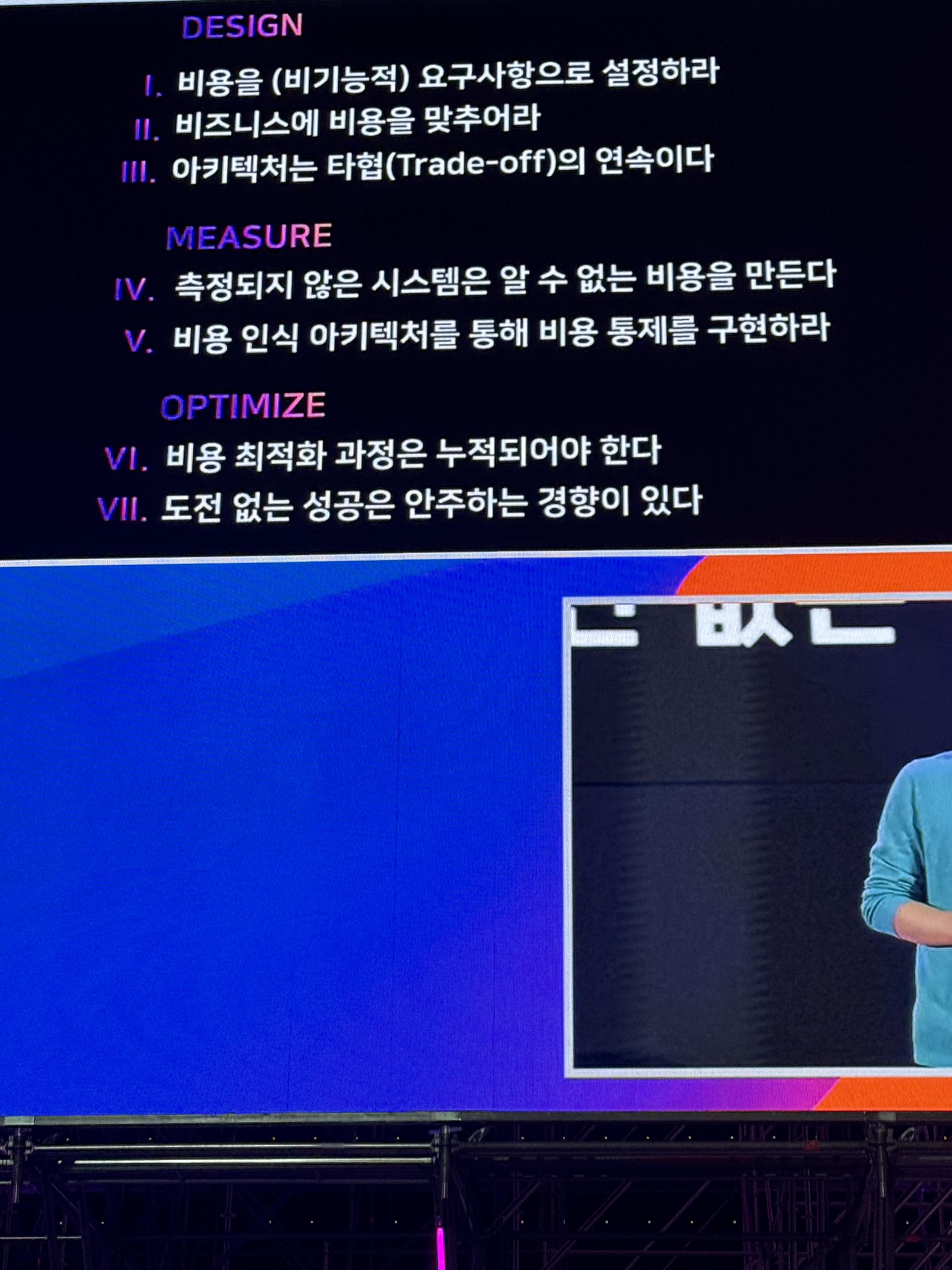
They also talked about reducing costs through continuous architecture changes.
- Stop: Stop unused resources
- Reduce: Reduce unnecessary features
- Rightsize: Choose computing resources that fit actual usage
- Shift: Choose more cost-effective computing options
11:10 Maximizing Developer Productivity Through Platform Engineering
From 11:10 onward, you could choose a talk to attend. I went to the community-track session Maximizing Developer Productivity Through Platform Engineering.
What is platform engineering?
It refers to engineering an IDP (Internal Developer Platform) that improves productivity. For example, a platform for internal developers or employees, such as Jenkins, can be considered an IDP.
The key points included:
- Self-service: A person should be able to do everything independently from beginning to end
- Catalog (documentation): Documentation should be easy to follow and detailed enough for a developer who joined today to use self-service
- Efficiency and cost optimization
In my SRE work, there are tasks I have to repeat, and when I handle developers’ requests one by one, I sometimes end up leaving late. I became very interested because I thought that building a platform to improve these areas and enable developer self-service could make work more efficient.
12:00 Lunch
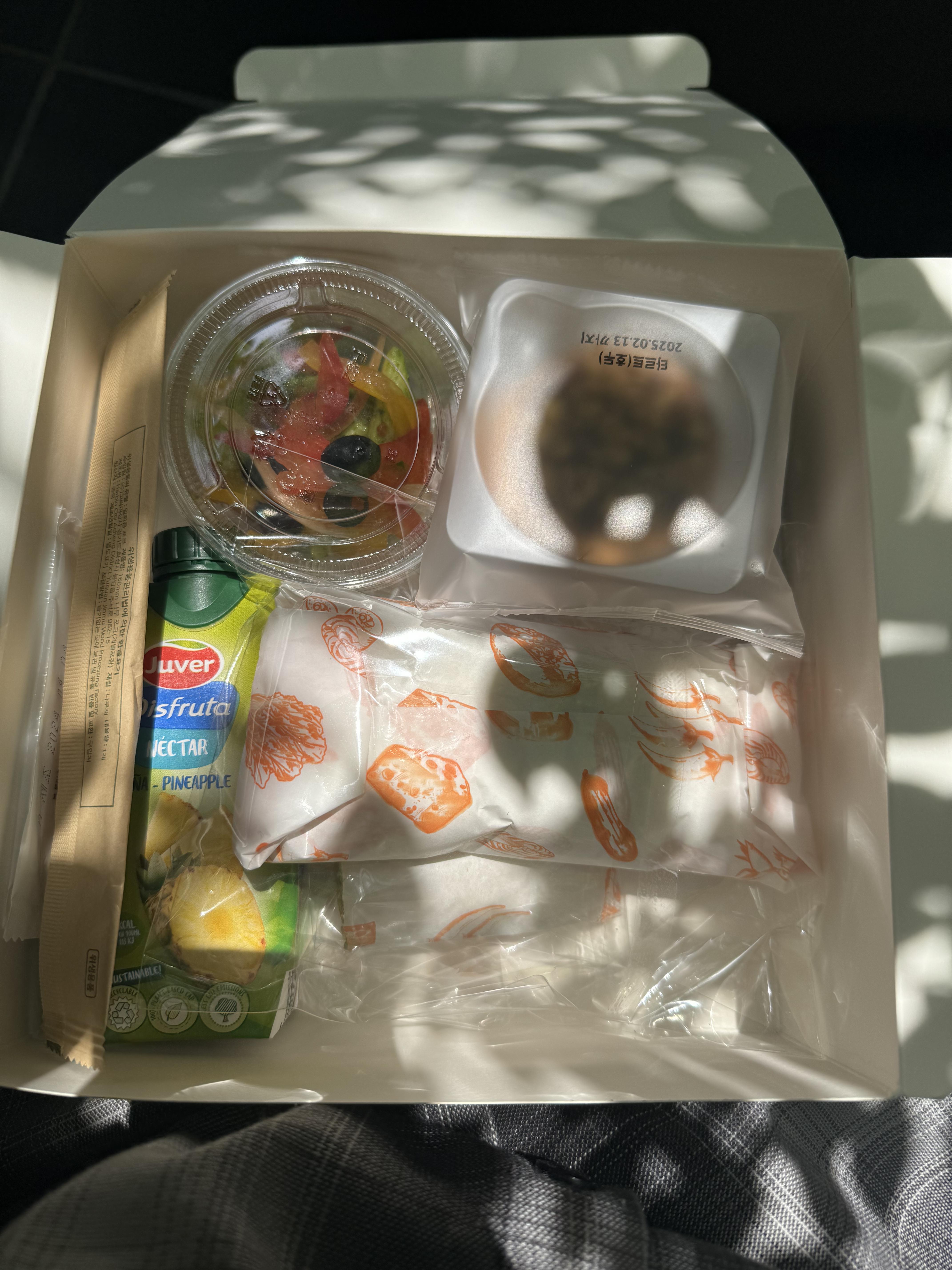
At the entrance, lunch-box tickets were handed out on a first-come, first-served basis. I arrived early enough to get one and had a lunch box. It had penne pasta, a chicken sandwich, a bulgogi wrap, and more; the selection was quite good and tasty.
1:10 Optimizing Kubernetes Clusters with Karpenter: Reducing Costs and Improving Efficiency
After lunch, I attended the DevOps-track session Optimizing Kubernetes Clusters with Karpenter: Reducing Costs and Improving Efficiency. I work with a very small Kubernetes cluster, but thought it would still be useful to learn about it.
What is Karpenter?
Karpenter is a flexible, high-performance, open-source Kubernetes cluster autoscaler built for AWS. It can improve application availability and cluster efficiency by quickly launching appropriately sized compute resources in response to changes in application load. Karpenter also provides compute resources that meet application requirements when needed, and automatically optimizes the cluster’s compute footprint to reduce costs and improve performance. Reference
In short, it is a Kubernetes cluster autoscaler. It scales up when resources are needed and scales down when demand decreases.
Karpenter works as follows:
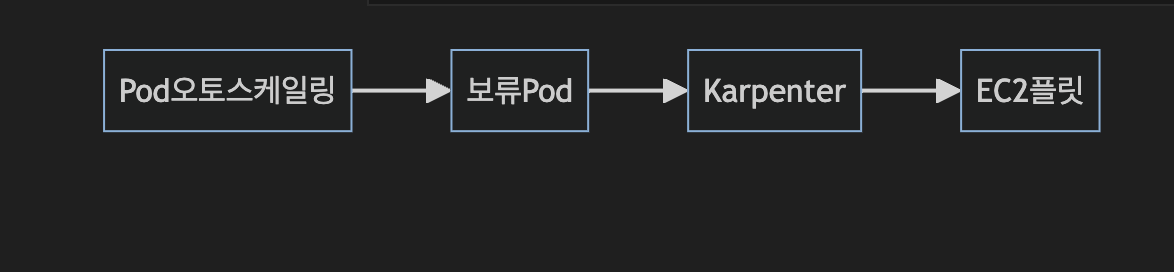
Karpenter node provisioning:
- Creating a Pod takes time
- Batching window algorithm: [1,10] seconds
- Idle time: 1 second
- Pending Pods for up to 10 seconds are grouped into a single batch
When scaling, it waits for up to 10 seconds for pending Pods. If other Pods become pending during those 10 seconds, they are grouped into a single batch. The idle time between grouping those batches is 1 second; this is the batching window algorithm.
There is also bin packing, which follows this sequence: 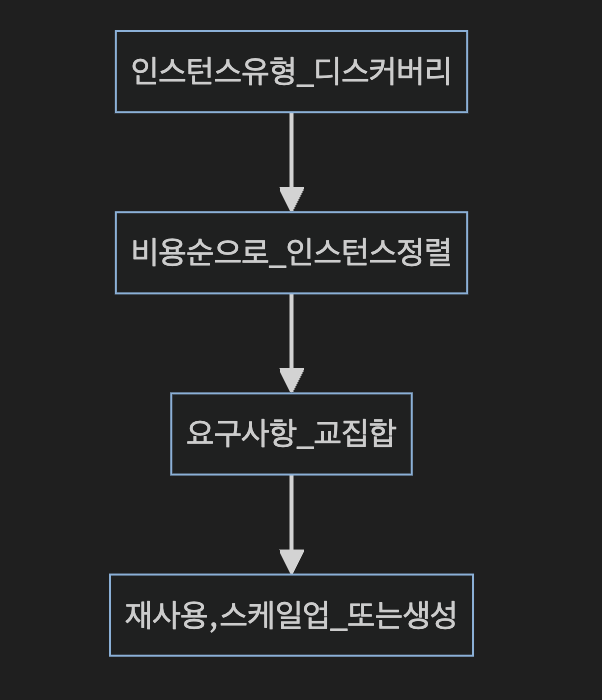
- Define the intersection of node pool and Pod requirements
- Consider host ports, volume topology, and volume usage
- Consider DaemonSet scheduling
- Prefer fewer, larger instance types
- Optimize for cost rather than utilization
Next comes decision-making:
- Create EC2 instances (Availability Zone + capacity type + price)
- Ensure flexibility by defining a variety of instance types
- On-Demand allocation strategy:
lowest-price - Spot allocation strategy:
price-capacity-optimized
There is also the Drift feature. Drift works as follows:
- Default behavior of EC2NodeClass
- A new AMI is released for the same EKS version
- AWS updates that information in AWS Systems Manager
- Karpenter continuously watches Parameter Store
- Karpenter’s Drift mechanism rolls out AMI updates to worker nodes
Efficient scaling is also possible through a node overprovisioning strategy.
- Pod priority (
PriorityClass) - Spread across Availability Zones (
TopologySpreadConstraints) - Pod anti-affinity (
PodAntiAffinity) - Pod scaling with KEDA (number of CPU cores)
For example, use PodAntiAffinity to place two dummy Pods on separate nodes. Keep monitoring this state; when scaling up, if four Pods arrive, place them in the free capacity on the nodes and create two more nodes for the dummy Pods. It is hard to understand from a verbal explanation alone, but the diagram makes it a little clearer. 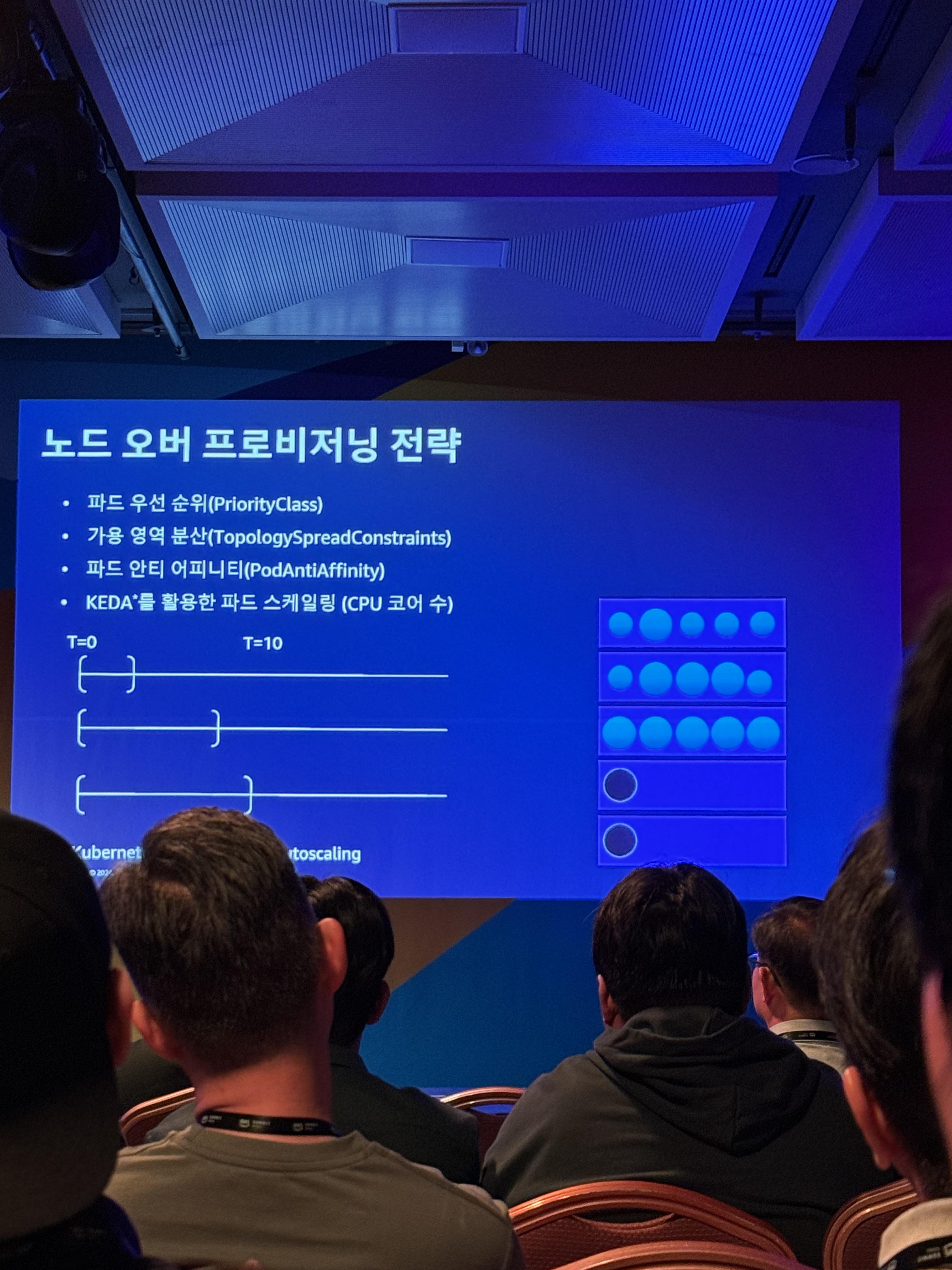
2:20 Observability from Various Perspectives
Next I attended an observability session led by DataDog DevOps consultant Nohun Lee.
The four golden signals — LETS:
- Latency: How long did it take to process a request?
- Errors: How many requests failed?
- Traffic: How many requests are coming in?
- Saturation: How much is the service currently processing?
At my company, I have built monitoring and alerting using Zabbix, Prometheus, Grafana, and other tools as part of my SRE work. This is currently the field I spend the most time on, so I was very interested. The talk had many introductions to DataDog features, but I also saw many things I could apply.
The part I related to most was:
“I’ve set alerts for everything that could become a problem, but is waking up to an alert every time really the best way to live…?”
I think every server engineer can relate. DataDog offers features such as Synthetic Test, but if a company doesn’t use DataDog, I think some of this can be addressed by automating it with scripts.
I also thought it would be good to implement observability by monitoring a broader range than just basic system information—for example, APM (Application Performance Monitoring) or security.
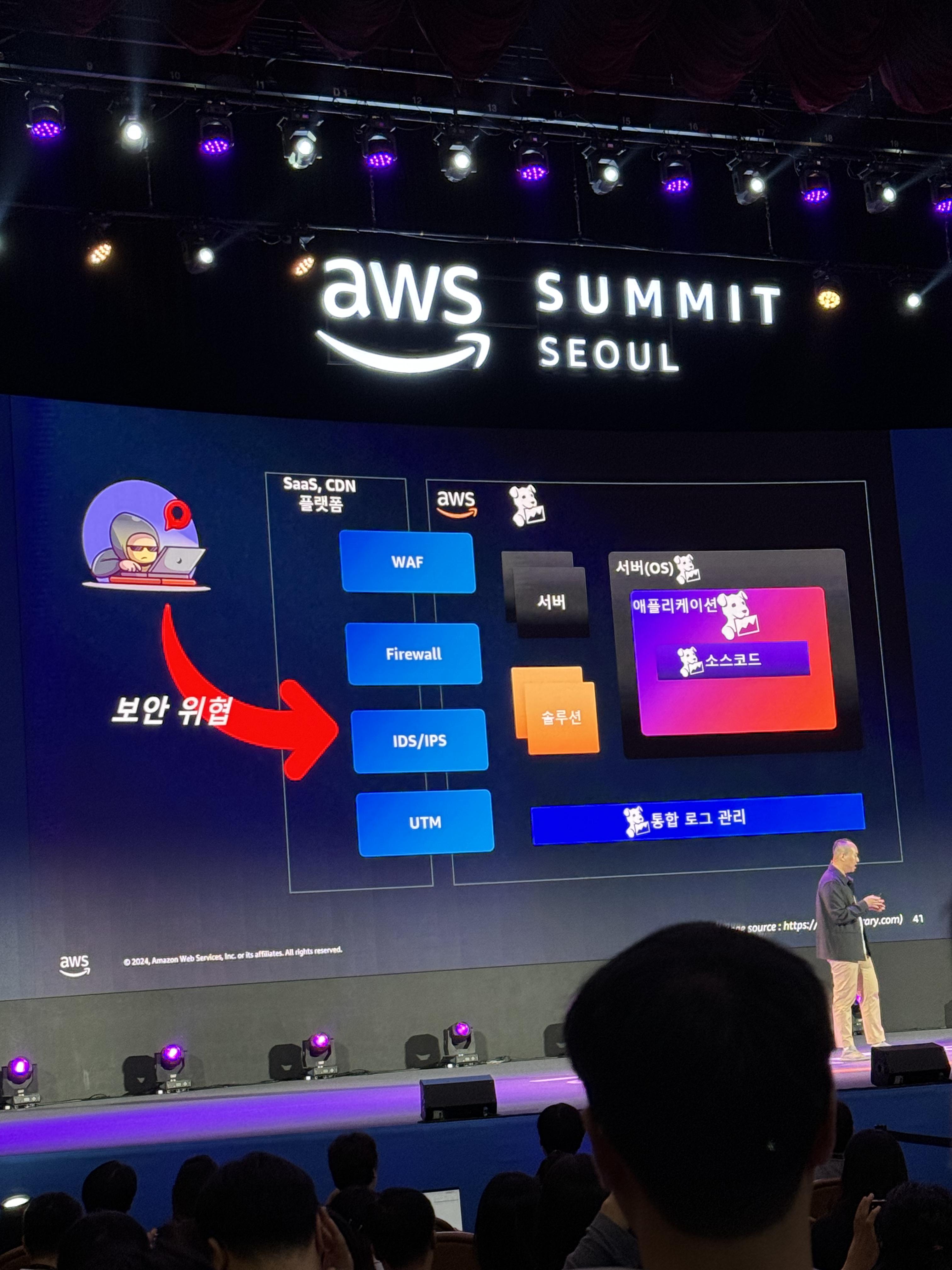
As you can see in the photo, applying monitoring to the areas marked with the DataDog logo would bring us one step closer to implementing observability.
3:20 AWS’s Journey Toward Intent-Based Network Infrastructure
I originally wanted to attend Using Serverless: Building an Efficient Development Environment for Startups, but the community-track venue was small and full, so I attended AWS's Journey Toward Intent-Based Network Infrastructure instead.
What is intent networking?
Intent means “purpose” or “intention.” It refers to a behavior expected from a network. The benefits of intent networking include:
- Consistency
- Visibility
- Agility
- Operability
Like a CI/CD pipeline, a request follows an intent-network pipeline. This reduces human intervention and operational complexity, making management easier.
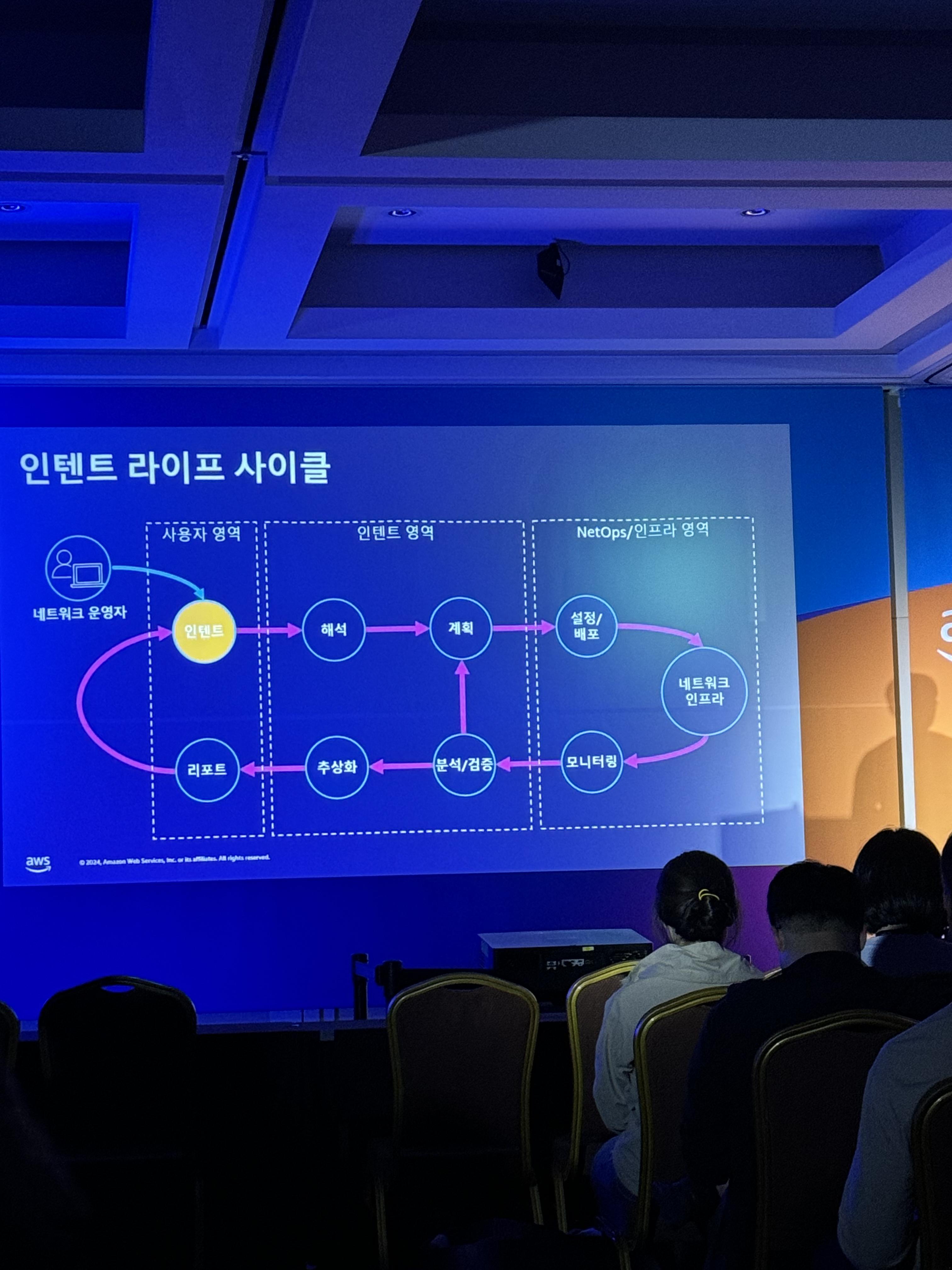
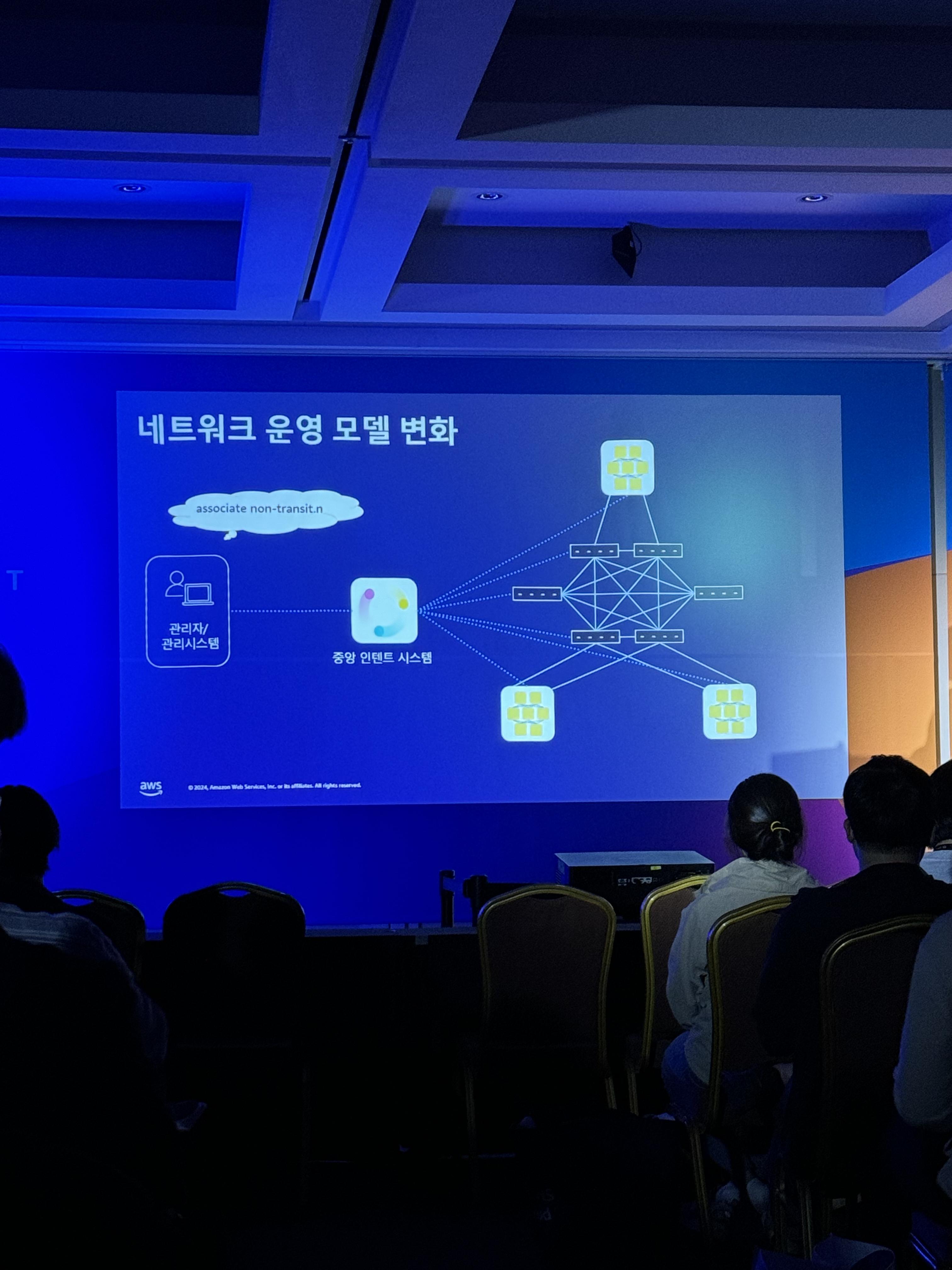
It follows the cycle shown in the photos above.
There was also a discussion of AWS’s custom network software and hardware. Custom switches, custom optical transceiver modules, and even a custom network OS—I thought it was really impressive.
As the talk went on, it felt like nothing but promotion for AWS products, so I left with about five minutes remaining.
4:30 AWS Expo
There were no sessions I particularly wanted to attend at 4:30, so I looked around the expo. I visited DataDog, Splunk, AWS Enterprise, and others, and got stickers, an eco bag, and a business-card holder, haha. Many booths were closing, so I thought I should have stopped by a little earlier. I resolved to visit earlier next time I go to an AWS conference.
5:20 Innovating DevOps: Applying Platform Engineering with Amazon EKS
For the last session, I attended Innovating DevOps: Applying Platform Engineering with Amazon EKS, about platform engineering, which had become a new interest of mine.
What is platform engineering?
- Internal customers (developers)
- An attractive internal product organized around self-service APIs and tools, services, knowledge, and support
- Build internal services as you would build external services
- Benefits of building an internal platform
- Speed: Reduce the time it takes to deliver new applications to customers
- Governance: Help application teams operate safely and securely in the cloud
- Efficiency: Optimize costs through efficient resource use and specialization
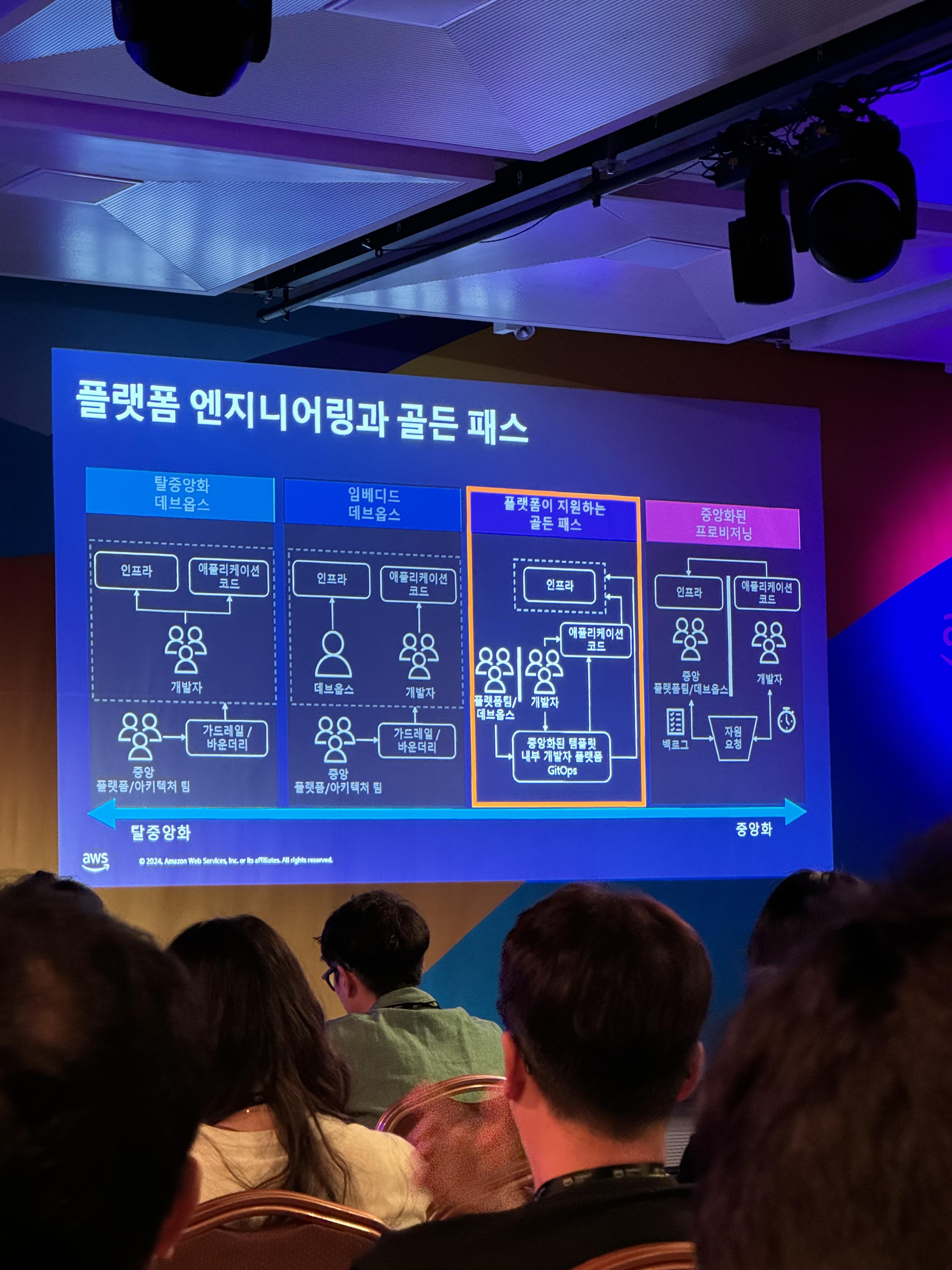
None of the four approaches above is inherently right or wrong, but I think it is possible to say that some are more efficient than others.
Benefits of building an internal platform
- Speed: Reduce the time it takes to deliver new applications to customers
- Governance: Help application teams operate safely and securely in the cloud
- Efficiency: Optimize costs through efficient resource use and specialization
Considerations when building an internal platform
- Ownership
- Level of abstraction (which features and how much to abstract)
- Adoption
- Troubleshooting
Implementation patterns
- There is no one-size-fits-all approach.
- Treat the platform as a product (provide the internal platform as if it were an external service)
- Provide self-service (make it possible for developers to handle things independently from start to finish)
- Provide a golden path with templates and documentation
- Make the platform executable
- Improve it incrementally
The reason for creating documentation is:
Time spent doing the work < time spent finding the information needed for the workmust not happen. Advantages include:- Clear ownership (responsibility), improved access to information, and more.
Value provided by platform engineering
- Self-service orientation: Reduce cognitive load
- Software catalog: Improve access to information
- Guardrails: Autonomy and governance
- Guardrails limit excessive user activity and help ensure governance is followed.
- FinOps: Cost optimization
- An unmeasured system creates unknown costs. That is why
Frugal Architectis applied to optimize costs. - Build a dashboard that lets users see costs as well (a guardrail) to optimize costs.
- An unmeasured system creates unknown costs. That is why
There were many more photos, but there were too many to post them all, so I’ll leave the summary at that.
Conclusion
This was my first AWS conference. It was more fun than I expected, and I learned about many new methodologies. In particular, Frugal Architect and platform engineering will probably be major interests of mine for a while. Thank you for reading.