1. What is Bun?
bun is a JavaScript runtime like node.js. You can find more information and installation instructions at bun.sh. In this post, I’ll use the elysia framework, similar to express in node.js, and walk through issuing a Google Gmail OAuth2 token.
2. Create an Elysia app
Let’s create an elysia app. You can create one with the command
bun create elysia ${app name}
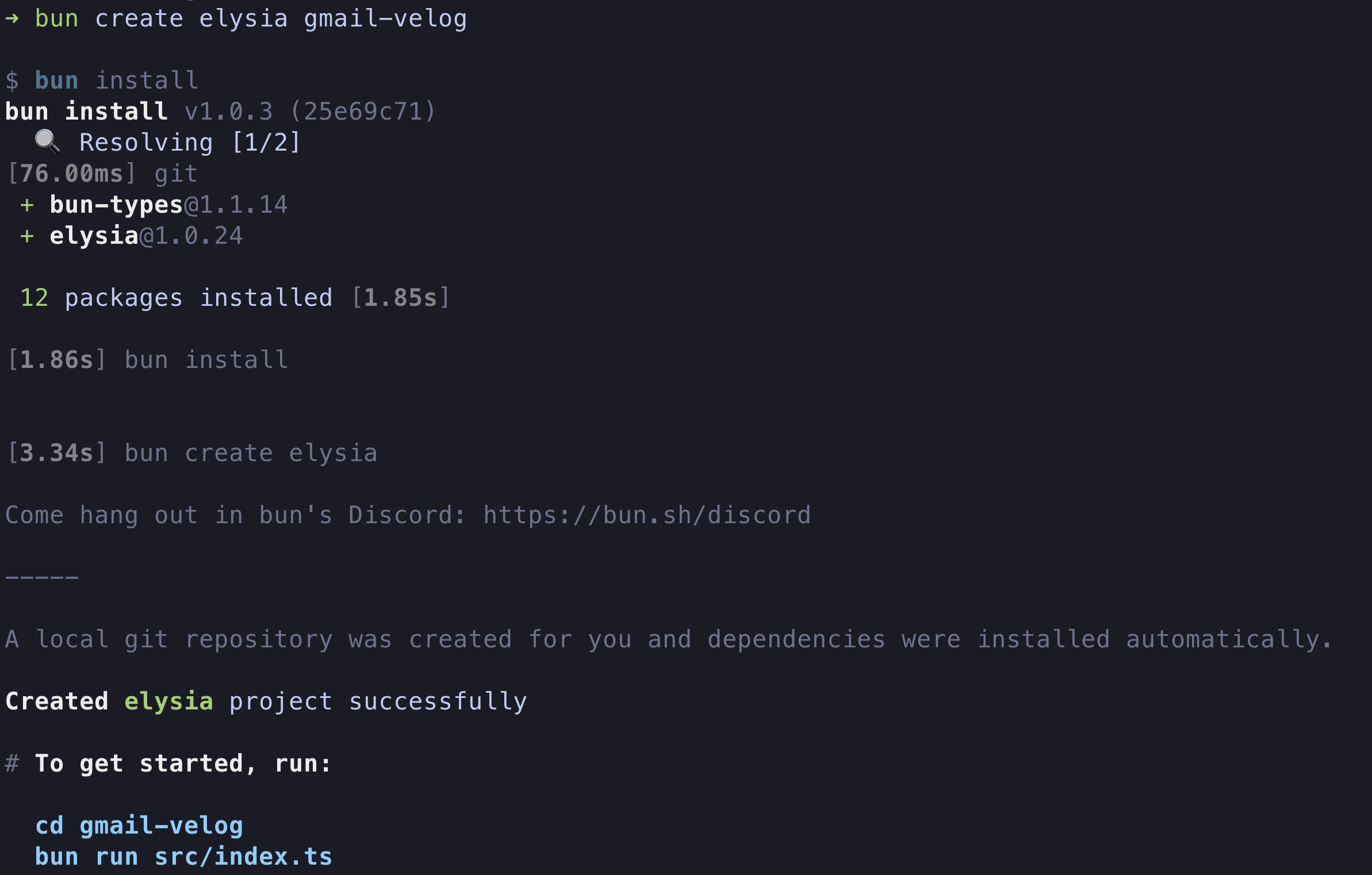
If you look at the src/index.ts file:
import { Elysia } from "elysia";

const app = new Elysia().get("/", () => "Hello Elysia").listen(3000);

console.log(
  `🦊 Elysia is running at ${app.server?.hostname}:${app.server?.port}`
);
You can see that it is listening on port 3000.
Run it with bun run dev and visit localhost:3000:
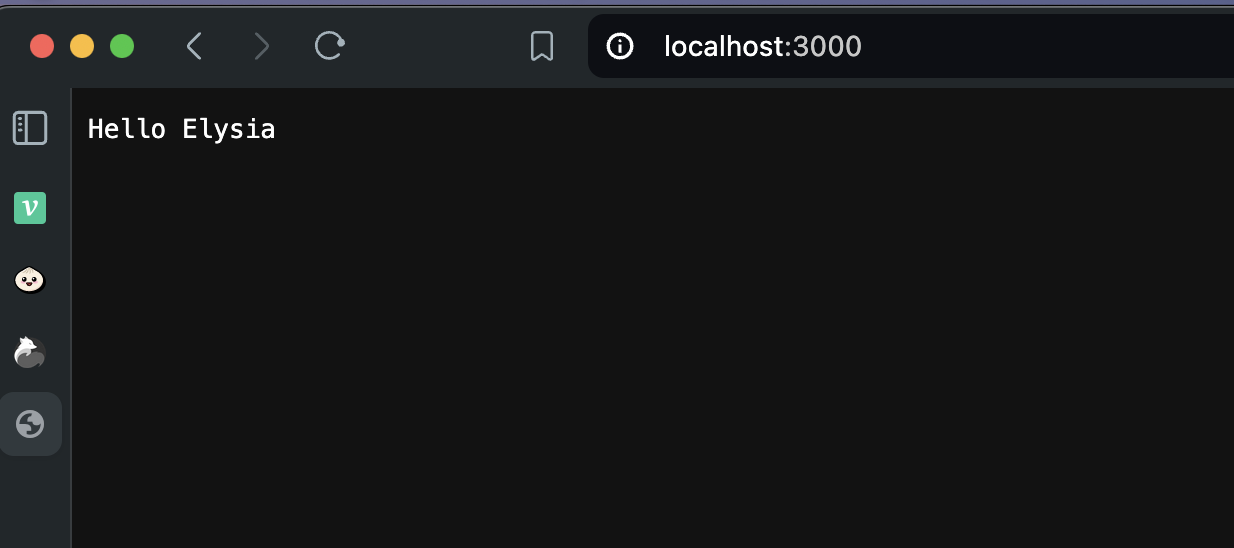 You can confirm that it is running as shown.
3. Create a Google project
Go to the Google Developer Console and add the API to an existing project or create a new project.
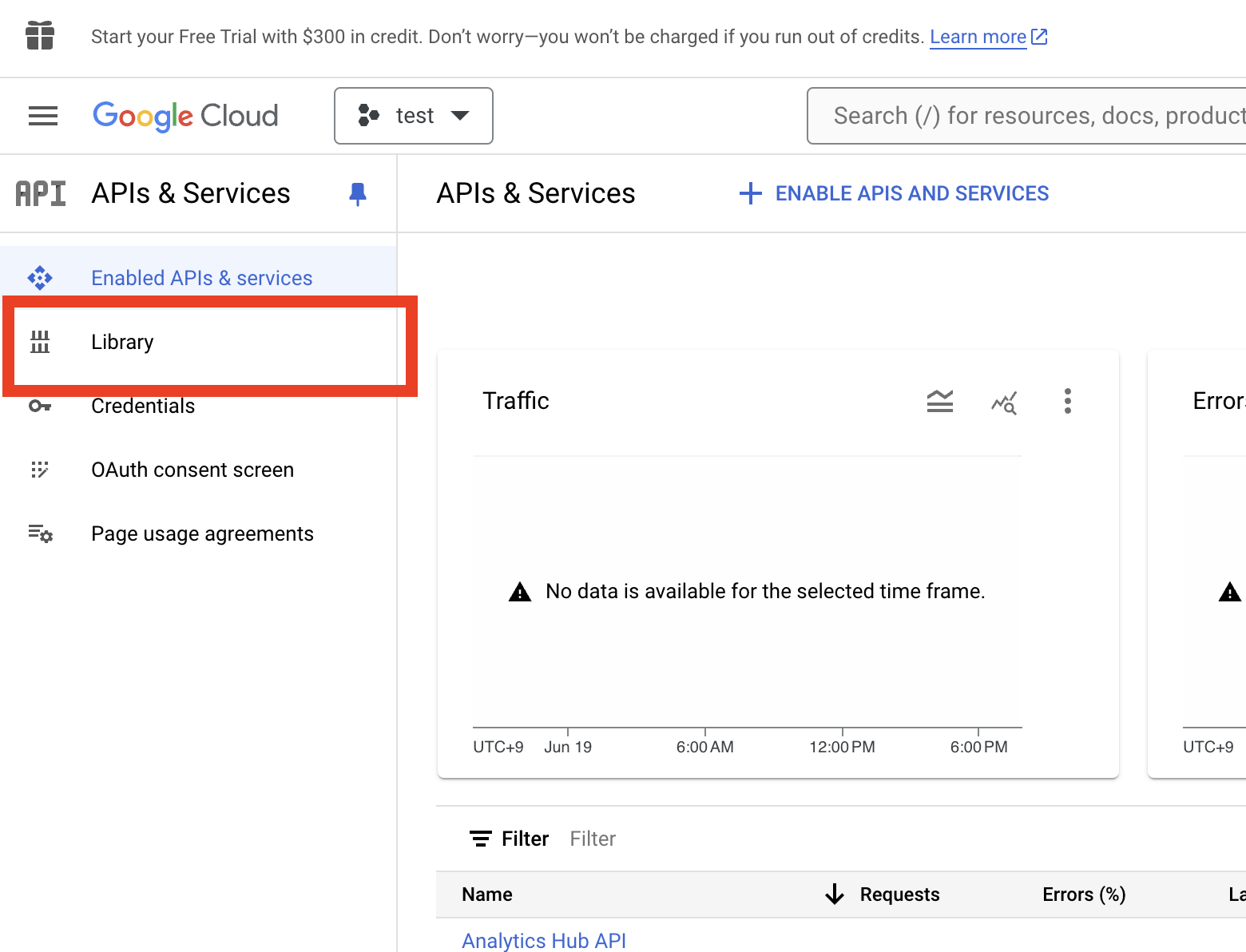
Click Library in the left menu, search for the Gmail API, and click it => select ENABLE.
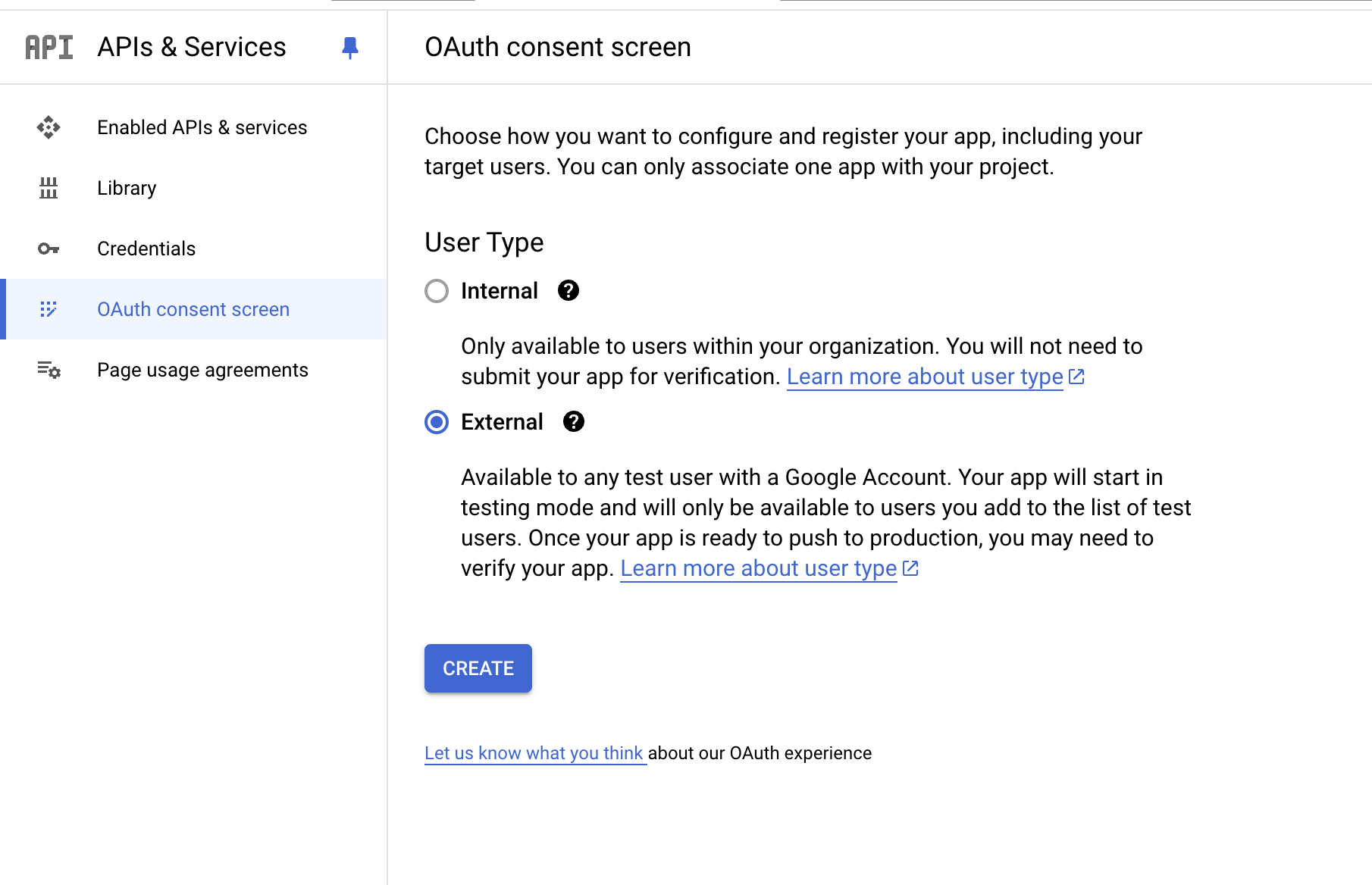
Select OAuth consent screen and CREATE it with the External type.
On the next screen, fill in App name, user support email, and Developer contact information, then click Save and continue.
Add the scope
https://www.googleapis.com/auth/gmail.readonly=> ADD TO TABLE => UPDATE => Save and continue.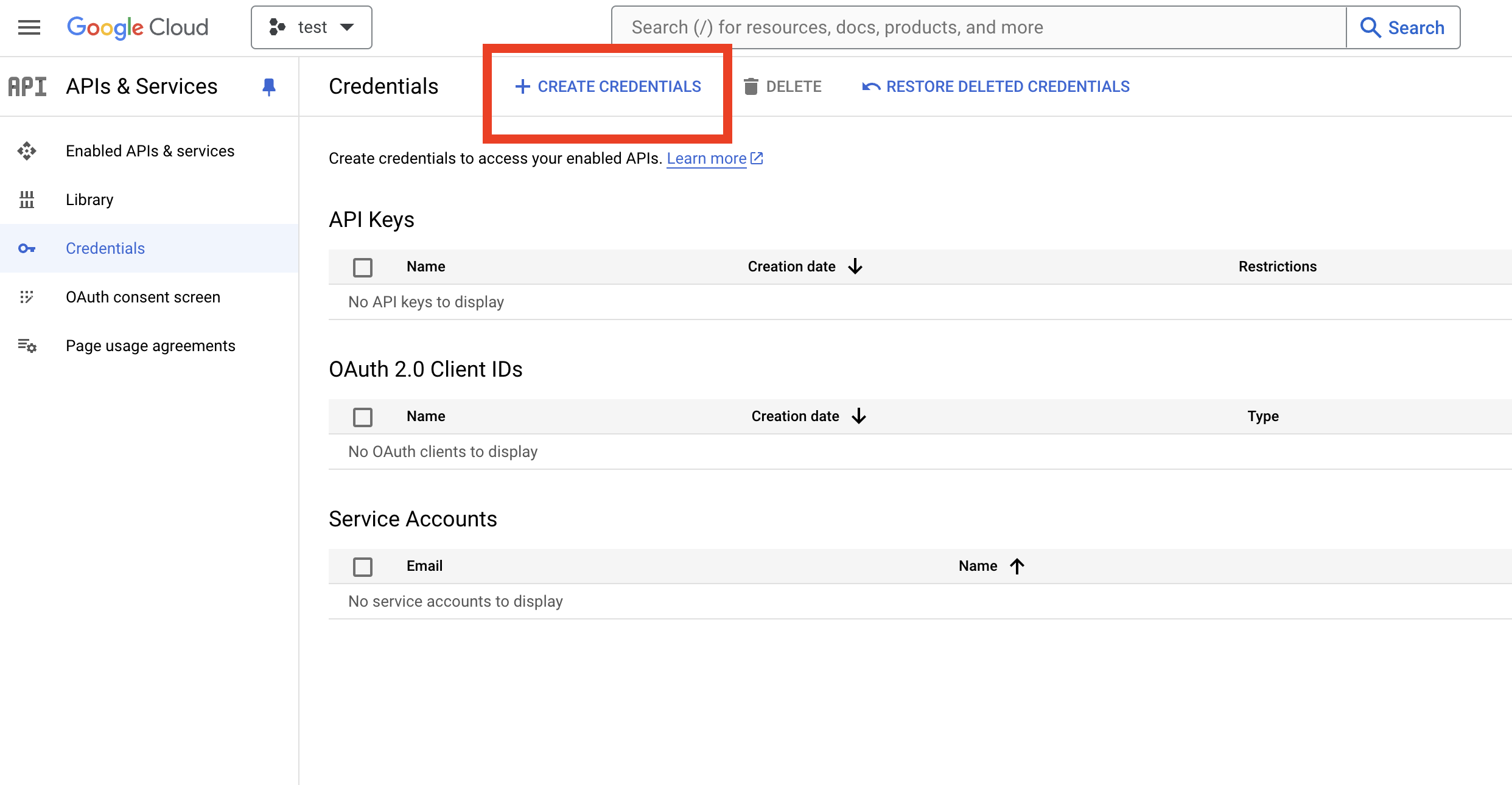
There is nothing in particular to change on the screens that follow.
Next, on the Credentials tab, click CREATE CREDENTIALS => OAuth client ID.
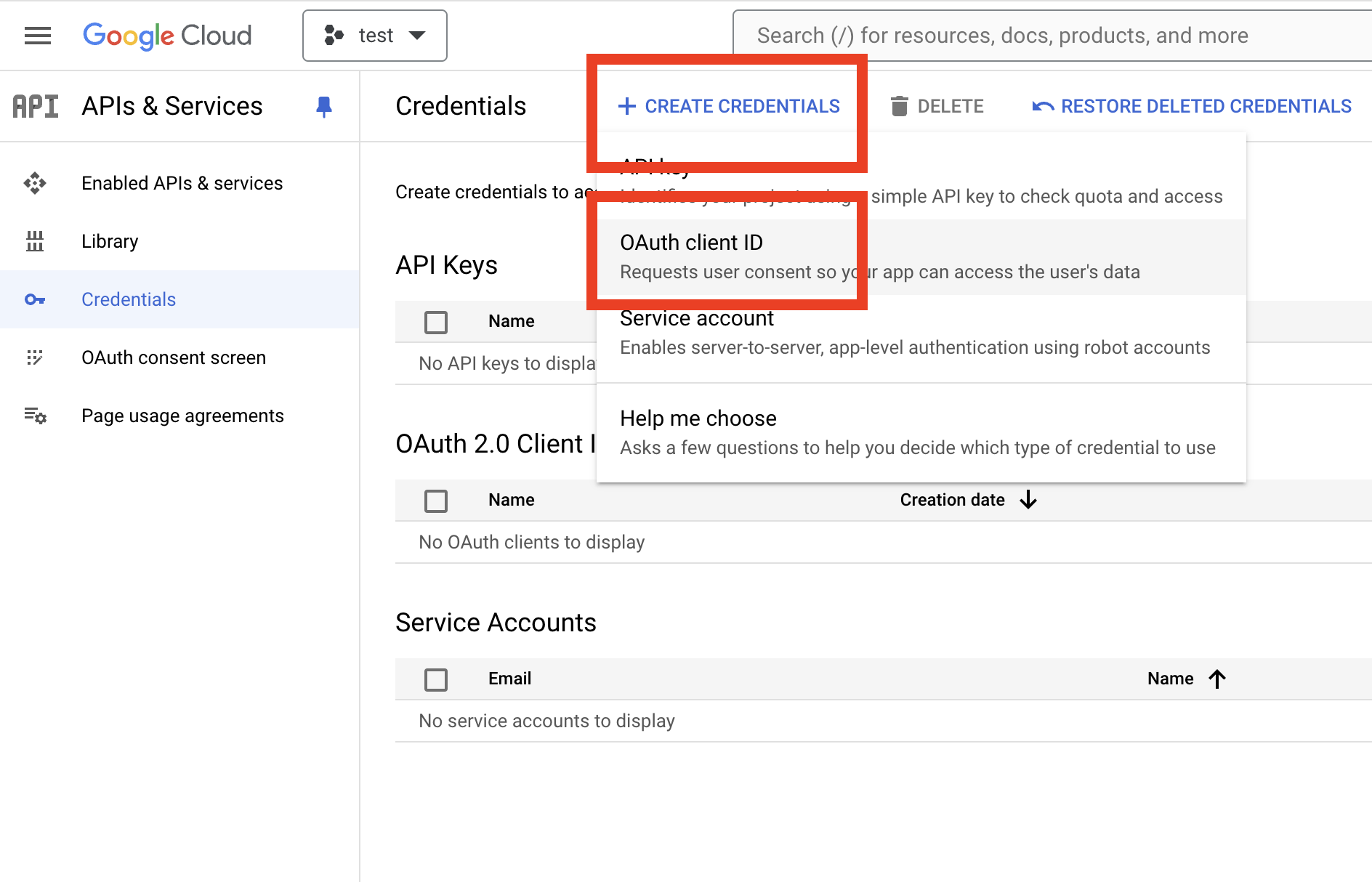
Fill in the details.
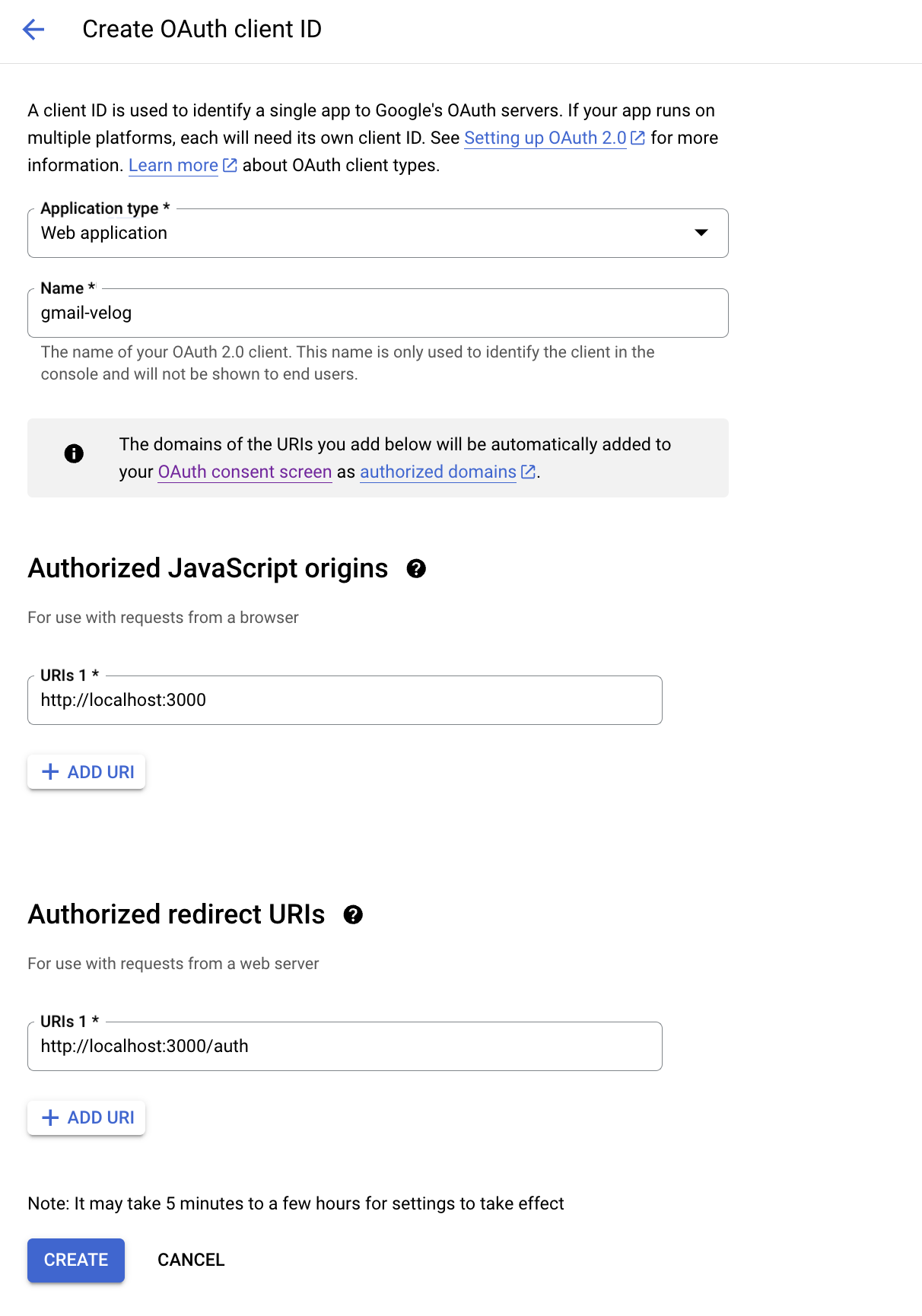
The current elysia app uses port 3000, so the address is localhost:3000. The redirect URI can be anything; I used /auth. Then click CREATE.
- Note down the Client ID and Client Secret that appear.
4. Write the code
Now we’re ready. Let’s write the code.
1. Prepare secrets
The Client ID and Client Secret are random strings, so they are difficult to memorize and type. I’ll create a secrets file and import them when needed.
export const CLIENT_ID = "your client id"
export const CLIENT_SECRET = "your client secret"
export const SCOPES = ['https://www.googleapis.com/auth/gmail.readonly']
export const REDIRECT_URI = 'http://localhost:3000/auth'
export const AUTH_URI = 'https://accounts.google.com/o/oauth2/auth'
export const TOKEN_URI = 'https://oauth2.googleapis.com/token'
export const MESSAGES_END_POINT = 'https://gmail.googleapis.com/gmail/v1/users/me/messages'
export const GET_MESSAGE_END_POIND = '/gmail/v1/users/me/messages/'
These are the variables we need.
2. Issue a code
With OAuth2, we obtain the Code provided as a query string on the redirect page, then use that code to obtain an AccessToken. Let’s write the code to obtain that Code.
import { Elysia } from "elysia";
import {
  CLIENT_ID,
  AUTH_URI,
  REDIRECT_URI,
  SCOPES } from '../secrets';

const app = new Elysia()
  .get("/", () => "Hello Elysia")
  .get("/test", ({ redirect }) => {
    return redirect(`${AUTH_URI}?scope=${SCOPES}&access_type=offline&include_granted_scopes=true&response_type=code&prompt=consent&redirect_uri=${REDIRECT_URI}&client_id=${CLIENT_ID}`)
})
  .listen(3000);

console.log(
  `🦊 Elysia is running at ${app.server?.hostname}:${app.server?.port}`
);
Then, when you visit localhost:3000/auth:
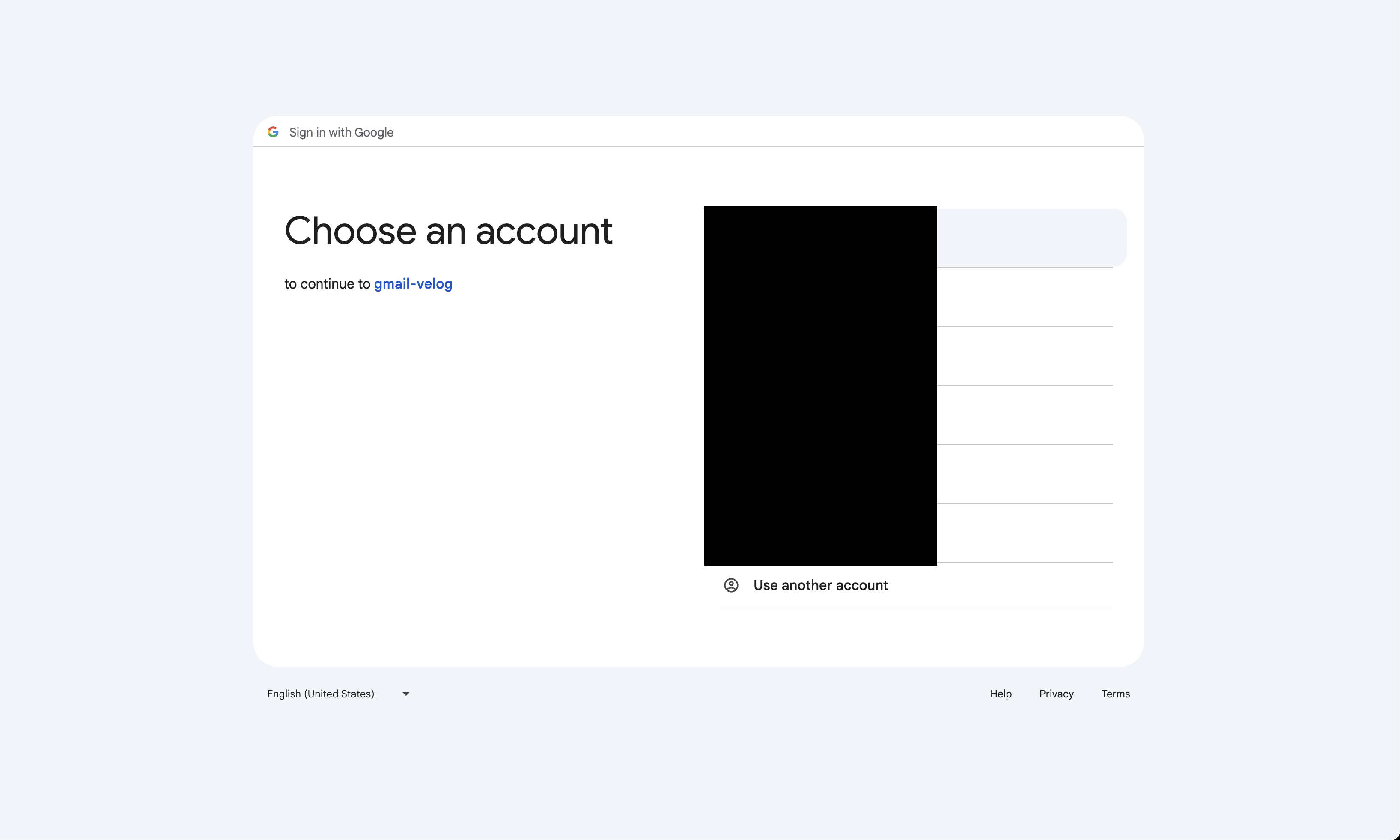 A screen for selecting an account appears.
Select an account and look at the address bar. The query string has the form /auth?code=code_value. We can retrieve this code value.
const app = new Elysia()
  .get("/", () => "Hello Elysia")
  .get("/test", ({ redirect }) => {
    return redirect(`${AUTH_URI}?scope=${SCOPES}&access_type=offline&include_granted_scopes=true&response_type=code&prompt=consent&redirect_uri=${REDIRECT_URI}&client_id=${CLIENT_ID}`)
  })
  .get("/auth", async ({ query }) => {
    const code: string | undefined = query.code
    if (code) {
    try {
		// Call the function that exchanges the code for a token
    } catch (err) {
      console.error(err);
    }
  }
})
  .listen(3000);

console.log(
  `🦊 Elysia is running at ${app.server?.hostname}:${app.server?.port}`
);
Now, at the top, declare the token type and a variable called tokenResponse:
type tokenType = {
	accessToken: string
	expiresIn: number
	scope: string
	token_type: string
}
let tokenResponse: tokenType | null = null;
Now go back down and:
import { Elysia } from "elysia";
import {
  CLIENT_ID,
  AUTH_URI,
  REDIRECT_URI,
  SCOPES } from '../secrets';
import { issueToken } from 'gmail' ;

type tokenType = {
	accessToken: string
	expiresIn: number
	scope: string
	token_type: string
}
let tokenResponse: tokenType | null = null;
const app = new Elysia()
  .get("/", () => "Hello Elysia")
  .get("/test", ({ redirect }) => {
    return redirect(`${AUTH_URI}?scope=${SCOPES}&access_type=offline&include_granted_scopes=true&response_type=code&prompt=consent&redirect_uri=${REDIRECT_URI}&client_id=${CLIENT_ID}`)
  })
  .get("/auth", async ({ query, set}) => {
    const code: string | undefined = query.code
    if (code) {
    try {
      tokenResponse = await issueToken(code);
      if (!tokenResponse) {
        set.status = 401;
        return "No toke available";
      }
    } catch (err) {
      console.error(err);
    }
  }
})
  .listen(3000);

console.log(
  `🦊 Elysia is running at ${app.server?.hostname}:${app.server?.port}`
);
issueToken
import axios from 'axios';
import {
	TOKEN_URI,
	CLIENT_ID,
	CLIENT_SECRET,
	REDIRECT_URI,
} from '../../secrets';

async function issueToken(code: string) {
	const searchParams = new URLSearchParams()
	searchParams.append('code', code)
	searchParams.append('client_id', CLIENT_ID)
	searchParams.append('client_secret', CLIENT_SECRET)
	searchParams.append('redirect_uri', REDIRECT_URI)
	searchParams.append('grant_type', 'authorization_code')

	try {
		const response = await axios.post(TOKEN_URI, searchParams, {
			headers: {
				'Content-Type': 'application/x-www-form-urlencoded'
			}
		})
		console.log(response.data)
		return response.data
	} catch (err) {
		console.error(err)
	}
	return null
}

export { issueToken }
At this point, you can obtain a Token.

5. Conclusion
For routing, elysia recommends writing:
import { Elysia } from 'elysia'

// ❌ don't
const app1 = new Elysia()

app1.get('/', () => 'hello')

app1.post('/', () => 'world')

// ✅ do
const app = new Elysia()
    .get('/', () => 'hello')
    .post('/', () => 'world')
Both approaches work, but using the second one is recommended to follow Elysia’s simple syntax, one of its advantages. Elysia official documentation
I’ve covered obtaining the token. Next time, I’ll aim to use the token to display a Gmail message list on screen. Thank you for reading.
>> Home