Let’s build a Kubernetes cluster using Ansible and Kubespray.
1. Create VMs using Vagrant
I referred to kubernetes-certification-guide for the Vagrant configuration file.
setting.yaml
# settings.yaml
# box_name: "sloopstash/ubuntu-22-04"
box_name: "bento/ubuntu-22.04"
# box_version: "2.1.1"
vm:
- name: "controlplane"
  ip: "192.168.64.163"
  memory: "2048"
  cpus: "2"
- name: "node01"
  ip: "192.168.64.164"
  memory: "2048"
  cpus: "2"
- name: "node02"
  ip: "192.168.64.165"
  memory: "2048"
  cpus: "2"
Vagrantfile
require 'yaml'
settings = YAML.load_file(File.join(File.dirname(__FILE__), 'settings.yaml'))

Vagrant.configure("2") do |config|
  config.vm.box = settings['box_name']
  # config.vm.box_version = settings['box_version']
  config.vm.box_check_update = false

  settings['vm'].each do |vm_config|
    config.vm.define vm_config['name'] do |vm|
      vm.vm.hostname = vm_config['name']
      vm.vm.network "public_network", ip: vm_config['ip']
      vm.vm.synced_folder ".", "/vagrant", disabled: false

      vm.vm.provider "vmware_fusion" do |vb|
        vb.gui = true
        vb.memory = vm_config['memory']
        vb.cpus = vm_config['cpus']
      end

      vm.vm.provision "shell", inline: <<-SHELL
        apt update
        apt upgrade -y
        apt install -y wget vim net-tools gcc make tar git unzip sysstat tree
        echo "192.168.201.10 controlplane" >> /etc/hosts
        echo "192.168.201.11 node01" >> /etc/hosts
        echo "192.168.201.12 node02" >> /etc/hosts
      SHELL
      # vm.vm.provision "shell", path: "scripts/common.sh"
    end
  end
end
Create the VMs with the vagrant up command.
After creation, connect and check with vagrant ssh <vm name>.
You can also connect with ssh vagrant@<ip>. The initial password for the vagrant user is vagrant.
1. Copy SSH keys
Generate an SSH key:
ssh-keygen -t rsa -b 4096 -f ~/.ssh/test_key
Ansible operates using SSH keys, so copy the test_key key we just generated.
#!/bin/bash

declare -a ips=(
   163
   164
   165
)

for ip in "${ips[@]}"; do
  sshpass -p vagrant ssh-copy-id -i ~/.ssh/id_ansible.pub vagrant@192.168.64."$ip"
done
The script copies the key to all hosts at once.
chmod +x <script filename>
./<script filename>
2. Clone Kubespray
Now clone kubespray.
git clone https://github.com/kubernetes-sigs/kubespray.git
After cloning, select a release version with git checkout release-<version>.
Use a version compatible with the installed Ansible version.
Check the version in kubespray/playbooks/ansible_version.yaml:
vars:
    minimal_ansible_version: 2.15.5
    maximal_ansible_version: 2.17.0
My Ansible version is 2.16.3, so I used release-2.24.
2-1. Create the inventory
Copy kubespray/inventory/sample.
cp -r inventory/sample inventory/mycluster
Now edit inventory.ini in the mycluster directory.
invetory/mycluster/inventory.ini
# ## Configure 'ip' variable to bind kubernetes services on a
# ## different ip than the default iface
# ## We should set etcd_member_name for etcd cluster. The node that is not a etcd member do not need to set the value, or can set the empty string value.
[all]
controlplane ansible_host=192.168.64.163 ip=192.168.64.163 etcd_member_name=etcd1 ansible_ssh_private_key_file=~/.ssh/test_key  ansible_user=vagrant
node01 ansible_host=192.168.64.164 ip=192.168.64.164 etcd_member_name=etcd2 ansible_ssh_private_key_file=~/.ssh/test_key  ansible_user=vagrant
node02 ansible_host=192.168.64.165 ip=192.168.64.165 etcd_member_name=etcd3 ansible_ssh_private_key_file=~/.ssh/test_key  ansible_user=vagrant

# ## configure a bastion host if your nodes are not directly reachable
# [bastion]
# bastion ansible_host=x.x.x.x ansible_user=some_user

[kube_control_plane]
controlplane
node01
node02

[etcd]
controlplane
node01
node02

[kube_node]
node01
node02

[calico_rr]

[k8s_cluster:children]
kube_control_plane
kube_node
calico_rr
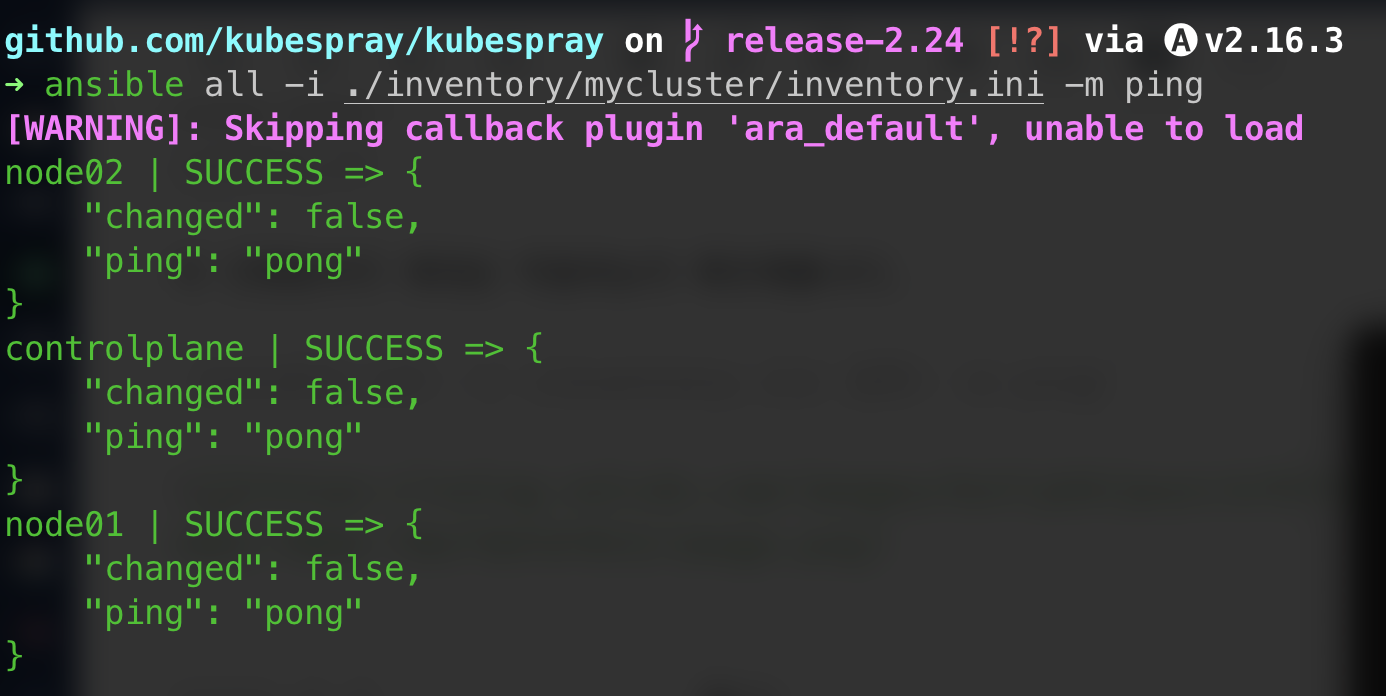
Check that the inventory works correctly:
ansible all -i <inventory.ini path> -m ping
2-2. Configure group_vars
When you copy inventory/sample, it contains a group_vars folder.
Here you can specify installation of Kubernetes addons such as helm, nginx ingress controller, and metallb.
inventory/mycluster/group_vars/k8s_cluster/addons.yaml
The file is long, so I’ll list only the settings changed to true.
helm_enabled: true: helm — a package manager that makes it easy to deploy Kubernetes resources
ingress_nginx_enabled: true: nginx ingress controller — a controller that handles external traffic at L7
local_path_provisioner_enabled: true: Storage Provisioner that dynamically provisions local storage in a Kubernetes environment
There are also ArgoCD, Cert-manager, and others, but I’ll install those later.
3. Run the playbook
Now that the inventory and addon configuration are complete, run the playbook to set up the cluster.
ansble-playbook -i <inventory file path> cluster.yaml
Run cluster.yaml in the root of the cloned kubespray directory, or specify cluster.yaml in the playbooks directory.
It takes about 15–20 minutes to run.
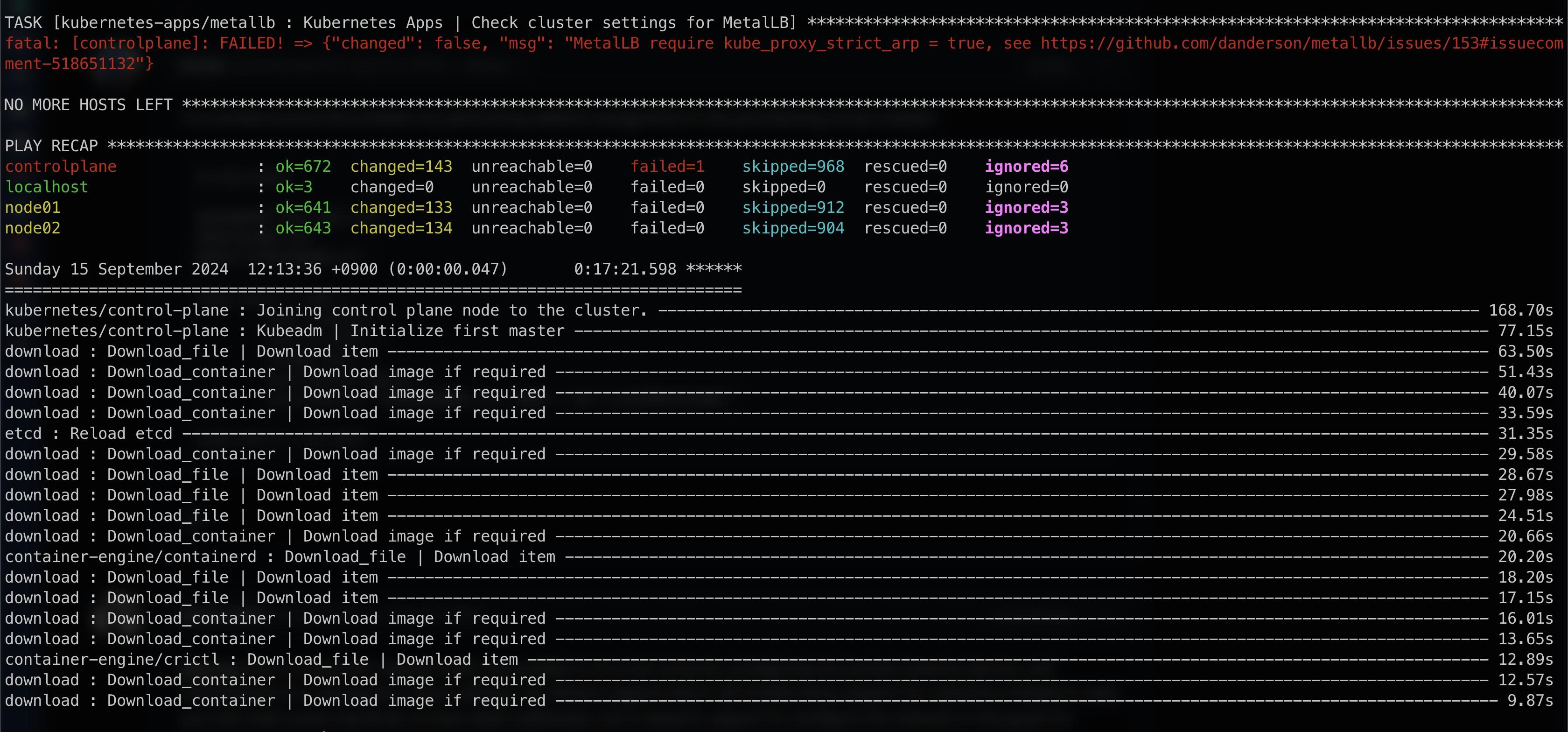
The playbook has finished. The error above occurred because the strictARP field in the kube-proxy configmap was not changed when installing Metallb. Modify it and reinstall.
First, let’s check whether the cluster was created.
I ran kubectl get nodes, but

it showed the error The connection to the server localhost:8080 was refused - did you specify the right host or port?.
Copy /etc/kubernetes/admin.conf to ~/.kube/config and set ownership so it can be used:
sudo mkdir ~/.kube/: create directorysudo touch ~/.kube/config: create config filesudo cp /etc/kubernetes/admin.conf ~/.kube/config: copy filesudo chown $(id -u):$(id -g) ~/.kube/config: set ownership
Now run kubectl get nodes again.

You can confirm that the nodes have been clustered successfully.
4. Launch a test Pod
I’ll finish by creating a simple nginx deployment and service.
apiVersion: apps/v1
kind: Deployment
metadata:
  name: test-deployment
  namespace: test
spec:
  replicas: 2
  selector:
    matchLabels:
      app: nginx-test
  template:
    metadata:
      labels:
        app: nginx-test
    spec:
      containers:
      - name: nginx
        image: nginx
---
apiVersion: v1
kind: Service
metadata:
  name: test-service
  namespace: test
spec:
  selector:
    app: nginx-test
  ports:
    - port: 80
      targetPort: 80
  type: ClusterIP
kubectl create ns test
kubectl apply -f test.yaml
Now check with kubectl get all -n test.
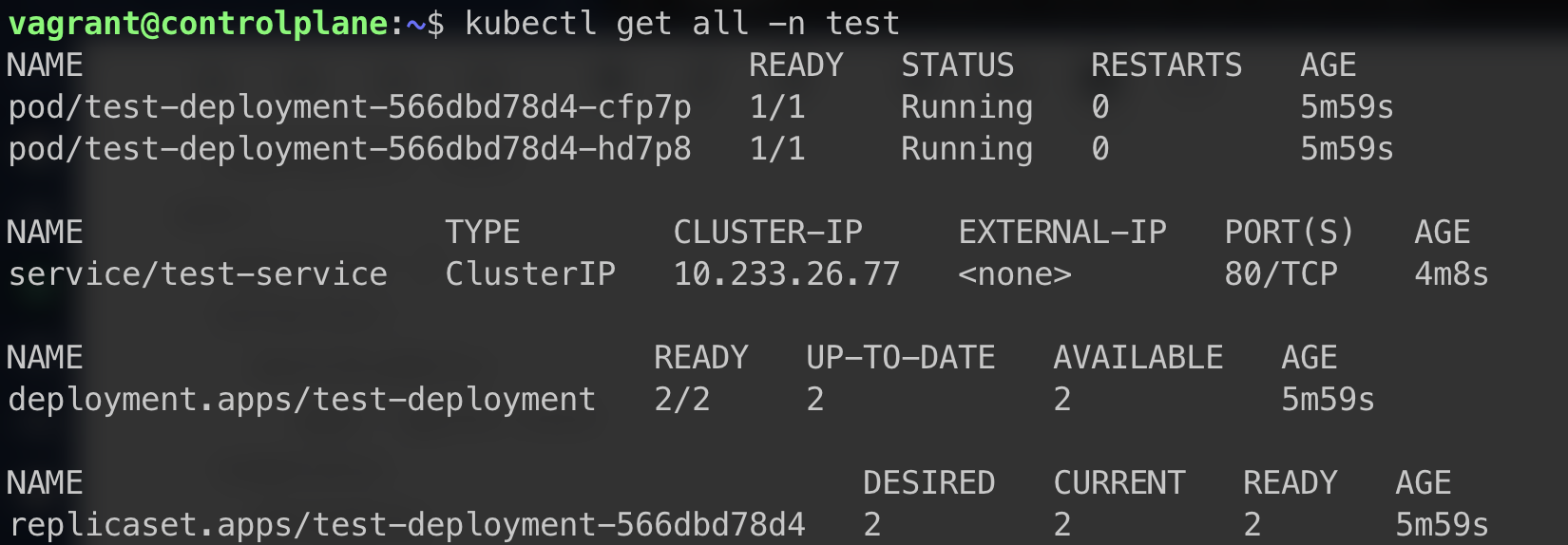
We can confirm that the Kubernetes resources were created successfully.
Conclusion
I had planned to install metallb and try using ingress, but applying Metallb’s ipAddressPool caused an error that prevented kubectl from accessing the apiServer. I’ll resolve it later and write about it separately. See here
Until now, I had used kubeadm, which required repeating the same configuration on every node. This was my first time automating cluster setup with kubespray.
I think it’s a good tool for people who use Ansible and work with Kubernetes on premises. Setting up a cluster requires installing and configuring essential utilities. I found it compelling that it helps prevent human error and lets you install the required utilities through group_vars.