Kafka is an MQ (Message Queue).
The original log collection pipeline was simple, as shown here: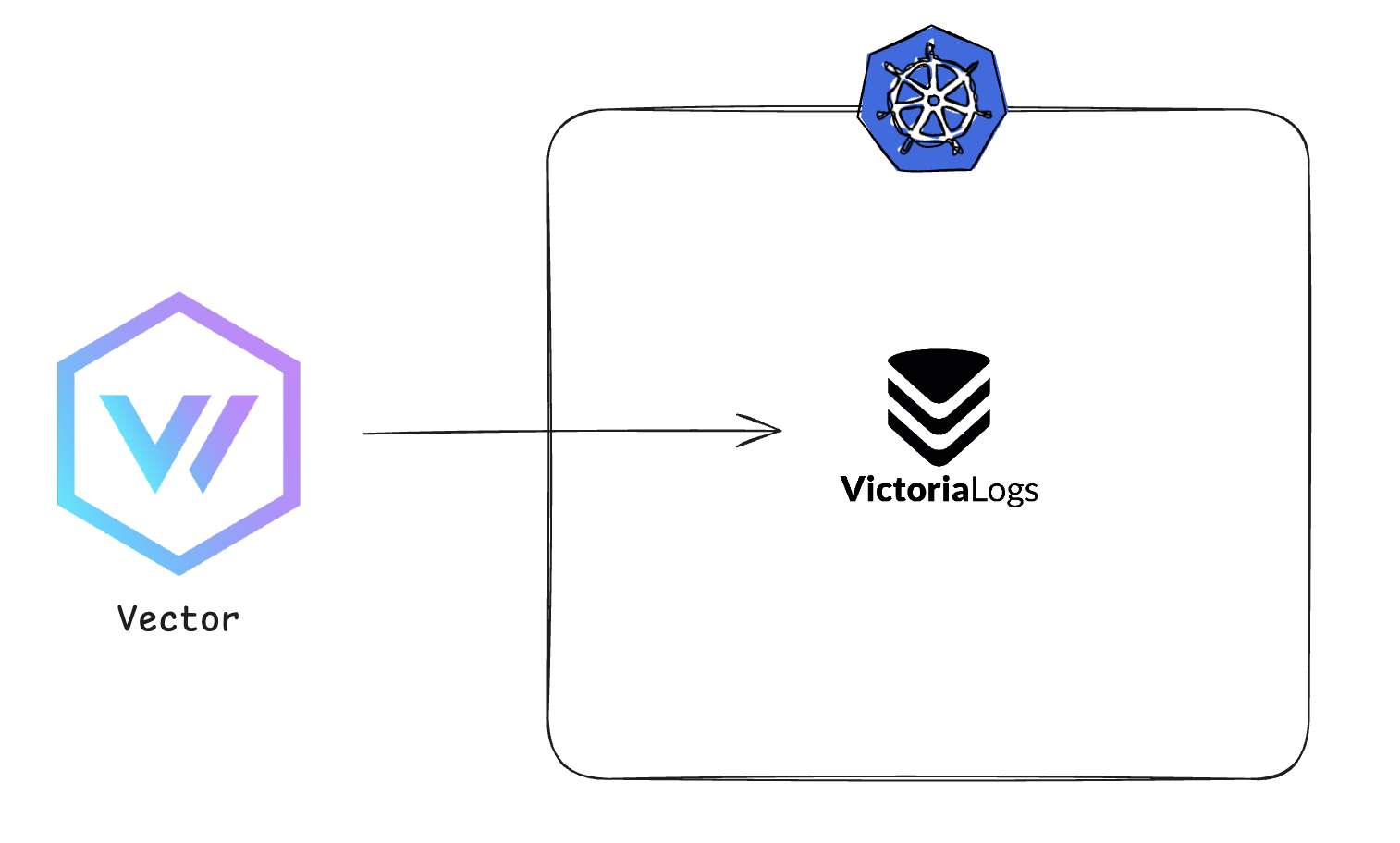 The problem was that we had more than one or two servers.
As all the logs were inserted into VictoriaLogs simultaneously, bottlenecks caused processing delays and some logs were lost.
So we introduced Kafka as a Log Aggregator to centralize the logs.
It can process large volumes of logs quickly and reliably, and preserve data safely without log loss even if a failure occurs. This led us to consider this structure: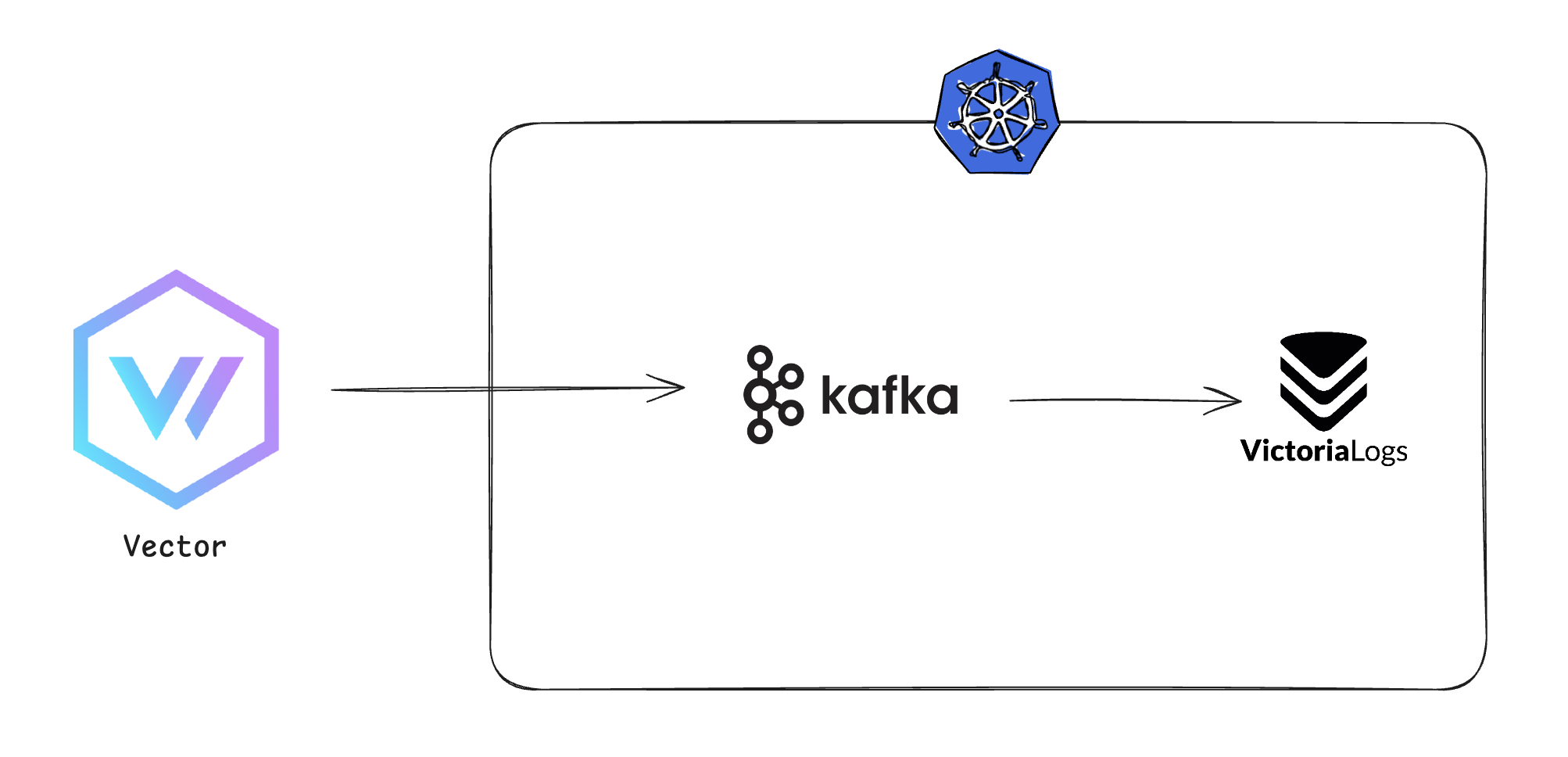 However, unlike AMQP, Kafka is a Pub/Sub model where consumers subscribe to topics and pull messages, so the final structure became the following: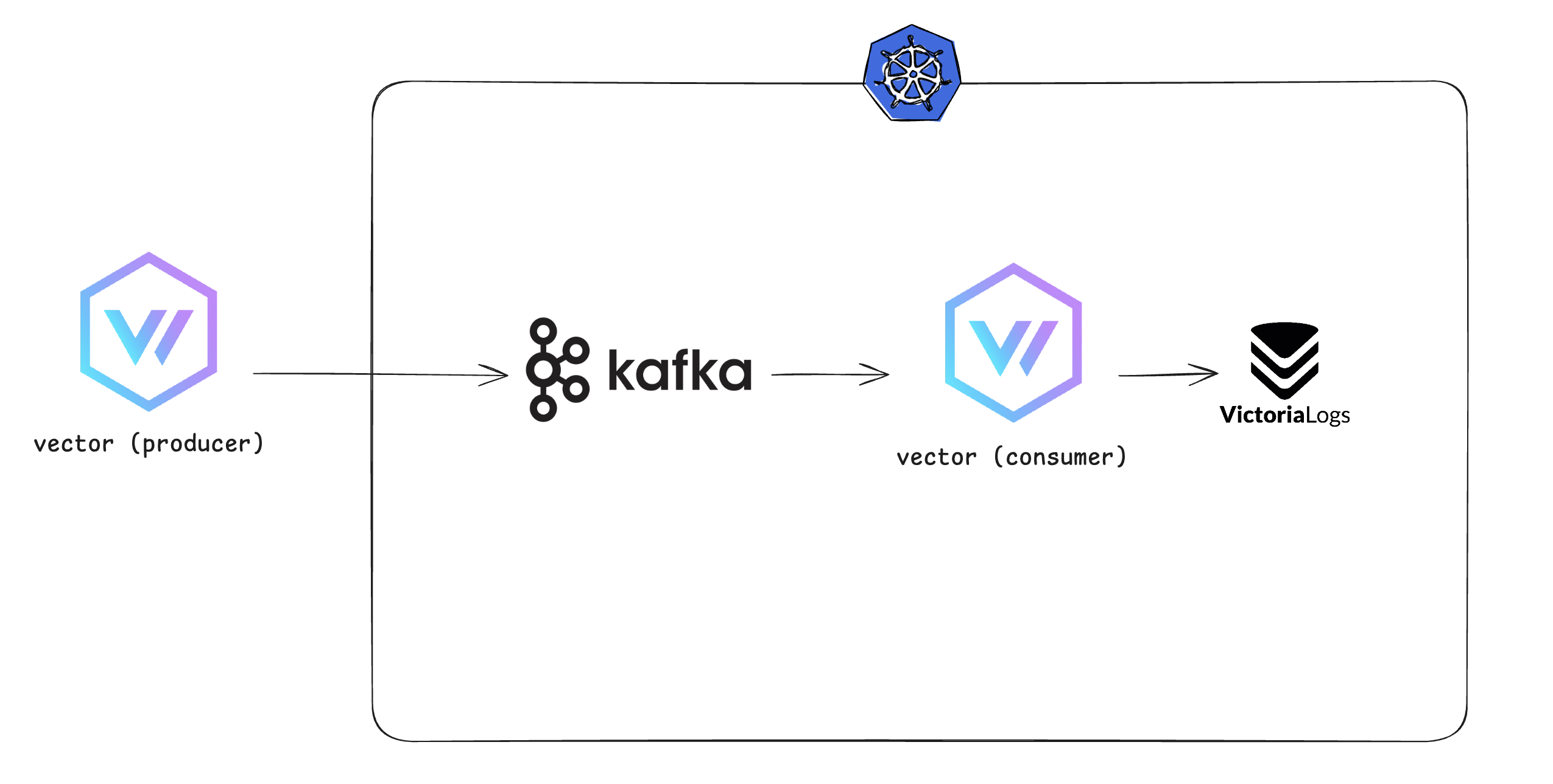
Deploy Kafka - Deploy the ArgoCD Root Application
First, I want to deploy Kafka to Kubernetes.
I initially used the Bitnami Helm chart, then switched to the Strimzi Operator.
I use ArgoCD’s App of Apps pattern, so I started by creating the Root Application.kafka-stack/kafka-cluster.yaml
apiVersion: argoproj.io/v1alpha1
kind: Application
metadata:
  name: kafka-cluster
  namespace: argocd
  annotations:
    argocd.argoproj.io/sync-wave: "1"
spec:
  project: default
  destination:
    namespace: kafka
    server: https://kubernetes.default.svc
  source:
    path: kafka-stack/kafka/cluster
    repoURL: git@github.com:my-repo.git
    targetRevision: main
kafka-stack/strimzi-operator.yaml
apiVersion: argoproj.io/v1alpha1
kind: Application
metadata:
  name: strimzi-operator
  namespace: argocd
  annotations:
    argocd.argoproj.io/sync-wave: "0"
spec:
  project: default
  destination:
    namespace: kafka
    server: https://kubernetes.default.svc
  source:
    chart: strimzi-kafka-operator
    repoURL: https://strimzi.io/charts
    targetRevision: 0.45.0
    helm:
      values: |
        watchNamespaces:
          - kafka
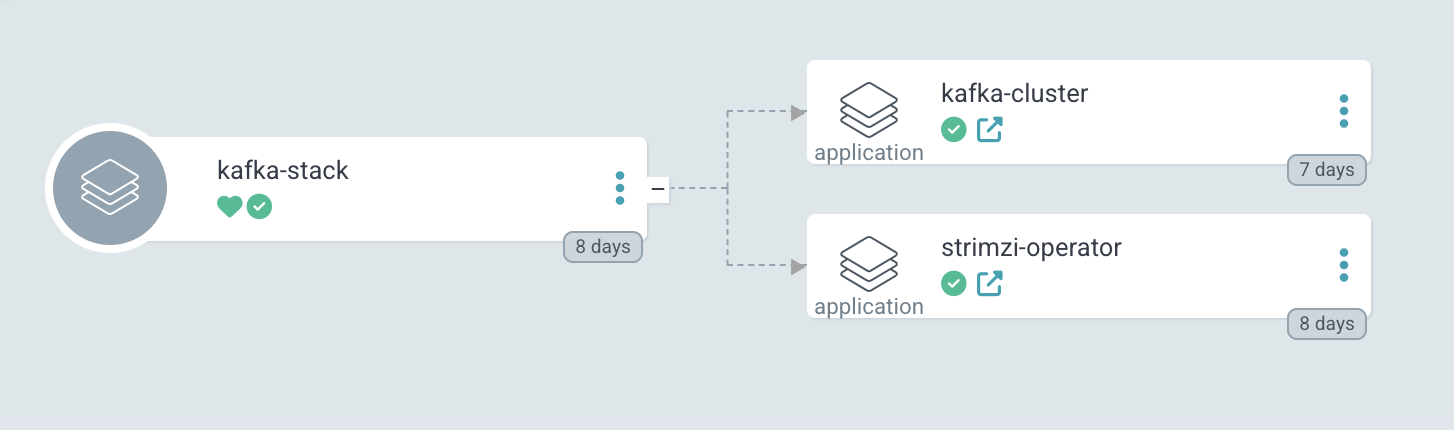 It gets created like this.
Now let’s create kafka-cluster.
Deploy Kafka - Operator Resources
kafka/kafka/cluster
apiVersion: kafka.strimzi.io/v1beta2
kind: KafkaNodePool
metadata:
  name: controller
  labels:
    strimzi.io/cluster: log-aggregator-kafka
spec:
  replicas: 3
  roles:
    - controller
  storage:
    type: jbod
    volumes:
      - id: 0
        type: persistent-claim
        size: 100Gi
        kraftMetadata: shared
        deleteClaim: false
---

apiVersion: kafka.strimzi.io/v1beta2
kind: KafkaNodePool
metadata:
  name: broker
  labels:
    strimzi.io/cluster: log-aggregator-kafka
spec:
  replicas: 3
  roles:
    - broker
  storage:
    type: jbod
    volumes:
      - id: 0
        type: persistent-claim
        size: 100Gi
        kraftMetadata: shared
        deleteClaim: false
---

apiVersion: kafka.strimzi.io/v1beta2
kind: Kafka
metadata:
  name: log-aggregator-kafka
  annotations:
    strimzi.io/node-pools: enabled
    strimzi.io/kraft: enabled
spec:
  kafka:
    version: 3.9.0
    metadataVersion: 3.9-IV0
    listeners:
      - name: plain
        port: 9092
        type: internal
        tls: false
      - name: tls
        port: 9093
        type: internal
        tls: true
      - name: external
        port: 9094
        type: ingress
        tls: true
        configuration:
          bootstrap:
            host: kafka.my-kafka.com
          brokers:
            - broker: 0
              host: broker-0.my-kafka.com
            - broker: 1
              host: broker-1.my-kafka.com
            - broker: 2
              host: broker-2.my-kafka.com
    config:
      offsets.topic.replication.factor: 3
      transaction.state.log.replication.factor: 3
      transaction.state.log.min.isr: 2
      default.replication.factor: 3
      min.insync.replicas: 2
  entityOperator:
    topicOperator: {}
    userOperator: {}
Deploy Kafka using the Strimzi Operator’s CRDs.
I looked into nodePort, ingress, LoadBalancer, and other ways to access the cluster externally, and ultimately chose ingress.
Since I have an automatically renewed SSL certificate issued by Cert-manager, I don’t need to manage it periodically. With NodePort, if a Pod is rescheduled to a different node after recreation, I would have to change the settings on every server collecting logs with Vector, so I decided on Ingress.
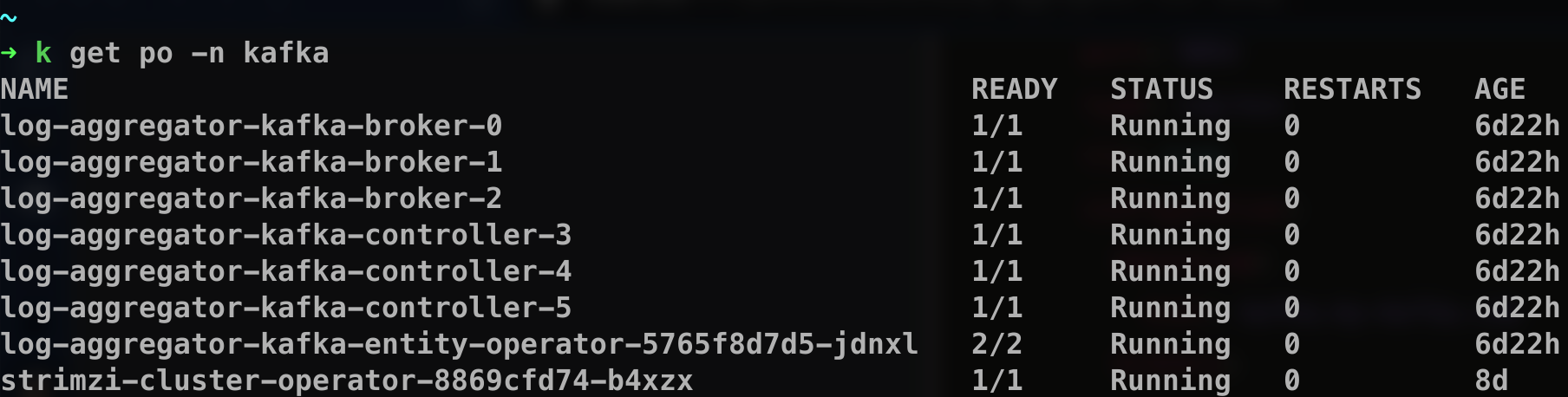 As expected, it deployed successfully!
Update the Vector Sink
Vector supports a great many Sinks: Loki, VictoriaLogs, ElasticSearch, Datadog, Kafka, and many more. It supports most solutions.
Existing configuration
data_dir: "/etc/vector"

sources:
  logs:
    type: file
    include:
      - /path/to/logs/*.log

transforms:
  transformed_logs:
    type: remap
    inputs:
      - logs
    source: |
      if .message == "" {
        abort
      }
      ._msg = .message
        .component = my-component
        .host_ip = 192.168.1.25

sinks:
  vlogs:
    inputs:
      - transformed_logs
    type: elasticsearch
    endpoints:
      - https://my-vlog.com/insert/elasticsearch/
    api_version: v8
    compression: gzip
    healthcheck:
      enabled: false
    query:
      _msg_field: message
      _time_field: timestamp
      _stream_fields: host,container_name
  debug:
    inputs:
      - transformed_logs
    type: console
    encoding:
      codec: json
The existing configuration sent logs directly to VictoriaLogs as a Sink.
Now I want to send them to Kafka instead, so I only changed the Sink section.
Before that, retrieve the Kafka Cluster certificate file with this command:kubectl get secret log-aggregator-kafka-cluster-ca-cert -o jsonpath='{.data.ca\.crt}' | base64 -d > ca.crt
Copy this CA file to the server collecting the logs and update the Sink as follows.
sinks:
  vlogs:
    inputs:
      - transformed_logs
    type: kafka
    bootstrap_servers: "kafka.my-kafka.com:443"
    topic: "standard-logs"
    tls:
      enabled: true
      ca_file: /etc/vector/ca.crt
    encoding:
      codec: json
    compression: gzip
    healthcheck:
      enabled: false
  debug:
    inputs:
      - transformed_logs
    type: console
    encoding:
      codec: json
This server’s Vector collects logs and sends them to Kafka, publishing them to the topic named standard-logs.
As mentioned above, Kafka consumers subscribe to topics, so a consumer can consume messages by subscribing to this topic.
To check whether messages are being sent to Kafka correctly, run:
kubectl exec -it log-aggregator-kafka-broker-0 -c kafka -- \
bin/kafka-topics.sh --list --bootstrap-server localhost:9092
If messages are sent, the topic specified in Vector will appear.

Deploy a Consumer
Now that we’ve confirmed messages are being sent to Kafka, we need a consumer to consume them and send them to VictoriaLogs.
I could have built one myself, and there are many other solutions, but I used Vector.
I chose it because VRL (Vector Remap Language) makes it easy to customize and add common labels to the collected logs.
Vector was also deployed in the same namespace using a Helm chart.
role: "Stateless-Aggregator"
logLevel: "debug"

customConfig:
  data_dir: /vector-data-dir
  api:
    enabled: true
    address: 127.0.0.1:8686

  sources:
    kafka_logs:
      type: kafka
      bootstrap_servers: log-aggregator-kafka-kafka-bootstrap.kafka.svc.cluster.local:9092
      topics:
        - standard-logs
      group_id: vector-consumer
      auto_offset_reset: earliest

  transforms:
    kafka_parser:
      type: remap
      inputs: [kafka_logs]
      source: |
        . = parse_json!(.message)
        .component = .component
        .host_ip = .host_ip

  sinks:
    victoria_logs:
      type: elasticsearch
      inputs: [kafka_parser]
      endpoints:
        - http://victoria-logs-victoria-logs-single-server.victoria.svc.cluster.local:9428/insert/elasticsearch/
      compression: gzip
      api_version: v8
      healthcheck:
        enabled: false
      query:
        _msg_field: message
        _time_field: timestamp
        _stream_fields: [host, kubernetes.pod_name]
- customConfig.sources:
It consumes from Kafka. It subscribes to the same topic used for publishing from Vector to Kafka above, and setsvector-consumeras theconsumer group id. - customConfig.transforms:
This is theVRLpart mentioned earlier. The server attaches labels such ascomponentandhost_ipbefore sending to Kafka; if we don’t map them as shown here, they won’t appear when sending (consuming) from Kafka to VictoriaLogs.
Now verify with the following command.

LAG is the difference between CURRENT-OFFSET and LOG-END-OFFSET.
That is, the number of messages queued but not yet consumed.
Now check VictoriaLogs:
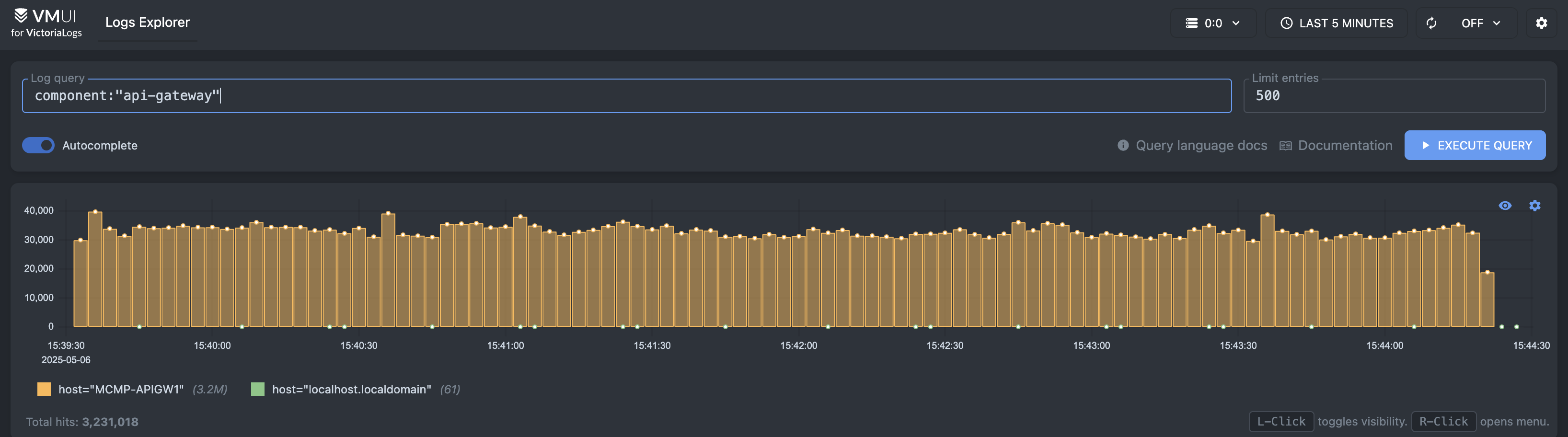 As expected, it works.
Wrap-up
It took about 3-4 days to complete this setup. I had only worked with RabbitMQ, so I assumed Kafka would be similar, but the terminology was different and a bit confusing.
I also struggled with deployment and connecting Vector, and when I sat down to write about it, I couldn’t figure out how to explain it, so I left it out.
The remaining problem is that some older servers run CentOS 6, which Vector doesn’t support (because of the GLIBC version).
I was using Promtail on those servers, but Promtail is a Loki client and can’t send to Kafka (and Promtail is now deprecated, too).
Once I solve this, I think the logging pipeline will be stable for a while.