1. What is Istio?
Many services are built using a microservices architecture (MSA).
MSA is particularly effective at reducing the propagation of failures by lowering dependencies between services.
However, as the number of services in an MSA grows, complexity also increases, making it difficult to know which services call which other services, whether communication is secure, and how to troubleshoot problems.
Istio is a tool that helps solve these complex problems.
Istio is one of the leading open-source Service Mesh software projects.
It controls communication between microservices, provides visibility, and strengthens security.
You can think of it as a traffic officer controlling traffic flow with hand signals.
1-1. Istio’s main features
- Traffic management
- Configure complex routing rules such as traffic distribution, A/B testing, and canary deployments without changing code
- e.g. Show a new version to only 10% of users first, then gradually increase the percentage if there are no problems
- Security
- Automatically encrypt communication between services (mTLS) and strengthen security by verifying service identities
- Observability
- Record and monitor communication between all services in detail, making it easier to find bottlenecks and errors
- Policy enforcement
- Easily apply policies such as limiting a service to a certain number of calls per second or allowing access only to specific users
2. Installing Istio
I will install Istio using Helm charts. First, add and update the repository.
helm repo add istio https://istio-release.storage.googleapis.com/charts
helm repo update
2-1. Install istio base
istio base deploys CRDs across the cluster.helm install isitio-base istio/base -n istio-system --set defaultRevision=default --create-namespace
$ kubectl get crd | grep istio
authorizationpolicies.security.istio.io      2025-09-07T02:32:00Z
destinationrules.networking.istio.io         2025-09-07T02:32:00Z
envoyfilters.networking.istio.io             2025-09-07T02:32:00Z
gateways.networking.istio.io                 2025-09-07T02:32:00Z
peerauthentications.security.istio.io        2025-09-07T02:32:00Z
proxyconfigs.networking.istio.io             2025-09-07T02:32:00Z
requestauthentications.security.istio.io     2025-09-07T02:32:00Z
serviceentries.networking.istio.io           2025-09-07T02:32:00Z
sidecars.networking.istio.io                 2025-09-07T02:32:00Z
telemetries.telemetry.istio.io               2025-09-07T02:32:00Z
virtualservices.networking.istio.io          2025-09-07T02:32:00Z
wasmplugins.extensions.istio.io              2025-09-07T02:32:00Z
workloadentries.networking.istio.io          2025-09-07T02:32:00Z
workloadgroups.networking.istio.io           2025-09-07T02:32:00Z
2-2 Install istiod
istiod deploys Istio discovery.helm install istiod istio/istiod -n istio-system --wait
2-3 Install istio-ingress
helm install istio-ingressgateway istio/gateway -n istio-ingress --create-namespace
Like the nginx ingress controller, it serves as an ingress controller, but integration with the service mesh lets you use more advanced features.
3. Hands-on
3-1. Deploy a sample app
Deploy Istio’s official sample app.curl -L https://istio.io/downloadIstio | sh -kubectl create ns bookinfokubectl apply -f istio-1.27.1/samples/bookinfo/platform/kube/bookinfo.yaml
Once it is deployed, use port forwarding to make it accessible from a browser.kubectl port-forwarding <productpage-pod> 9080:9080
Open localhost:9080/productpage in your browser.
- reviews-v1

- reviews-v2

- reviews-v3

Each time you refresh the page, you can see the star colors in the ‘Book Reviews’ section (red or black) change, or see no stars at all.
This happens because the different versions of the reviews service are called in a round-robin fashion.
3-2. Create DestinationRule and VirtualService
VirtualService: Where should traffic be sent? (Routing Rules)- Defines routing rules such as sending traffic that meets certain conditions (subset: v1) to a destination
- Controls traffic flow
DestinationRule: What is a subset?- Groups pods and assigns names such as v1 and v2 to each group
- Defines the subsets themselves
kubectl apply -f samples/bookinfo/networking/destination-rule-all.yaml
3-2. Traffic control
A. Route reviews to a specific version
- The Bookinfo app’s
reviewsservice has three versions: v1, v2, and v3. Version v1 has no star rating.kubectl apply -f samples/bookinfo/networking/virtual-service-all-v1.yaml
Use this command to set all services to v1.
Now, even after refreshing the page, onlyreviews v1appears.
Looking at thevirtual-service-all-v1.yamlfile:
apiVersion: networking.istio.io/v1
kind: VirtualService
metadata:
  name: reviews
spec:
  hosts:
  - reviews
  http:
  - route:
    - destination:
        host: reviews
        subset: v1
Because the subset for reviews is fixed to v1, all traffic is routed to v1.
Now let’s create a new VirtualService that routes only to v2.
First, delete the existing reviews VirtualService.kubectl delete virtualservices.networking.istio.io reviews
# reviews-v2.yaml
apiVersion: networking.istio.io/v1alpha3
kind: VirtualService
metadata:
  name: reviews
spec:
  hosts:
    - reviews
  http:
    - route:
      - destination:
          host: reviews
          subset: v2
Now, even after refreshing, reviews displays only v2 (black stars).
B. Route a specific user to a specific version
First delete the v2 VirtualService we just created and apply virtual-service-all-v1.yaml.
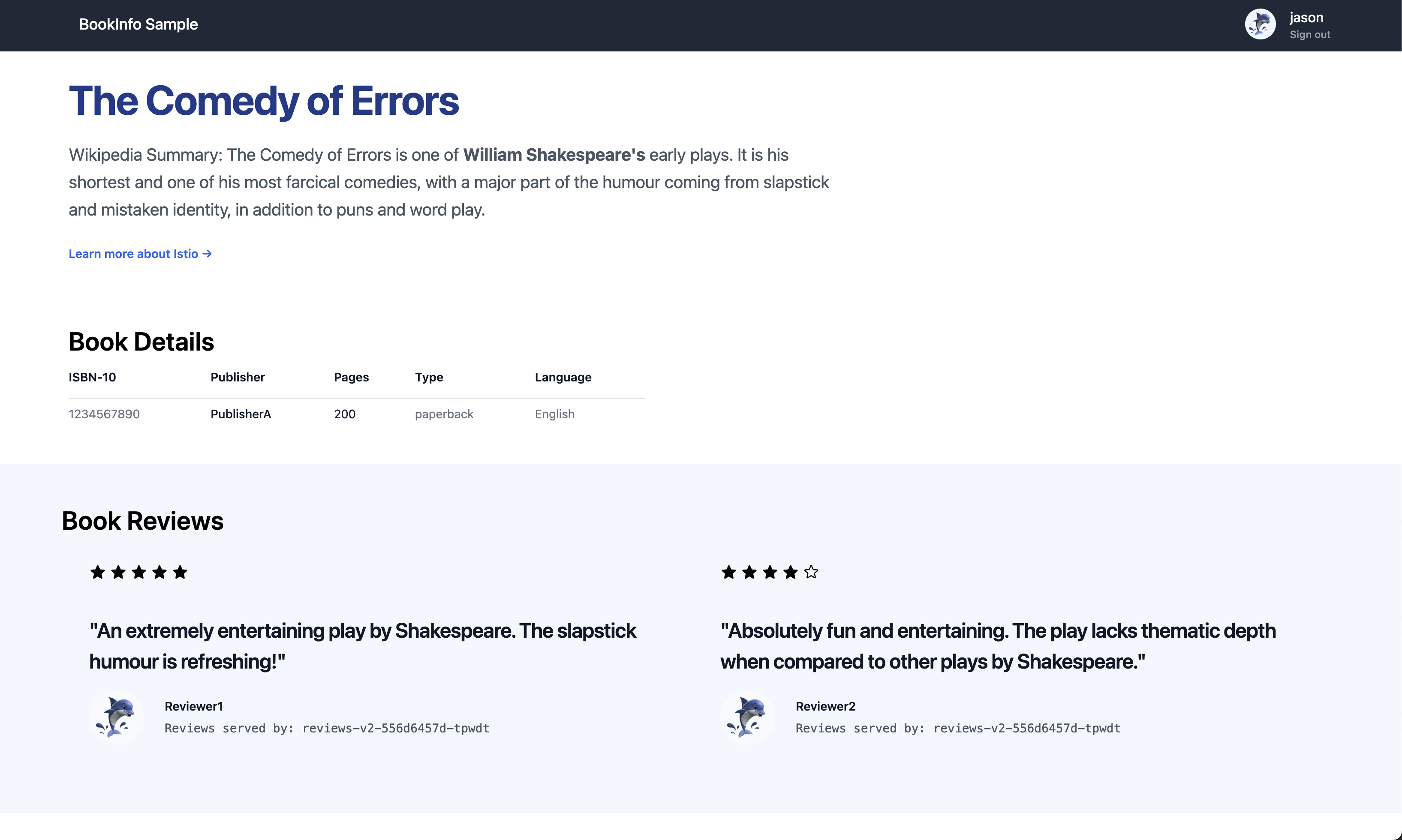
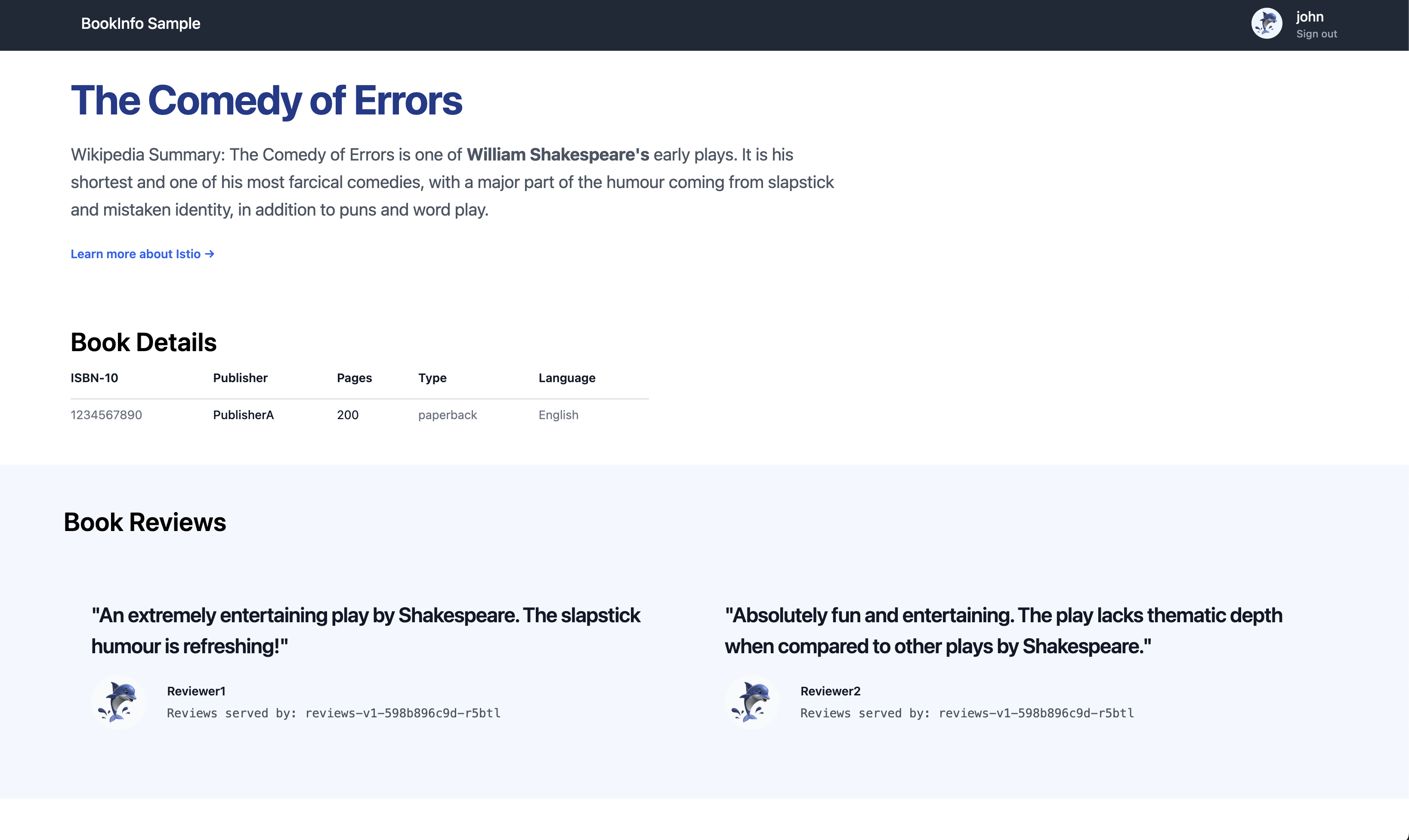
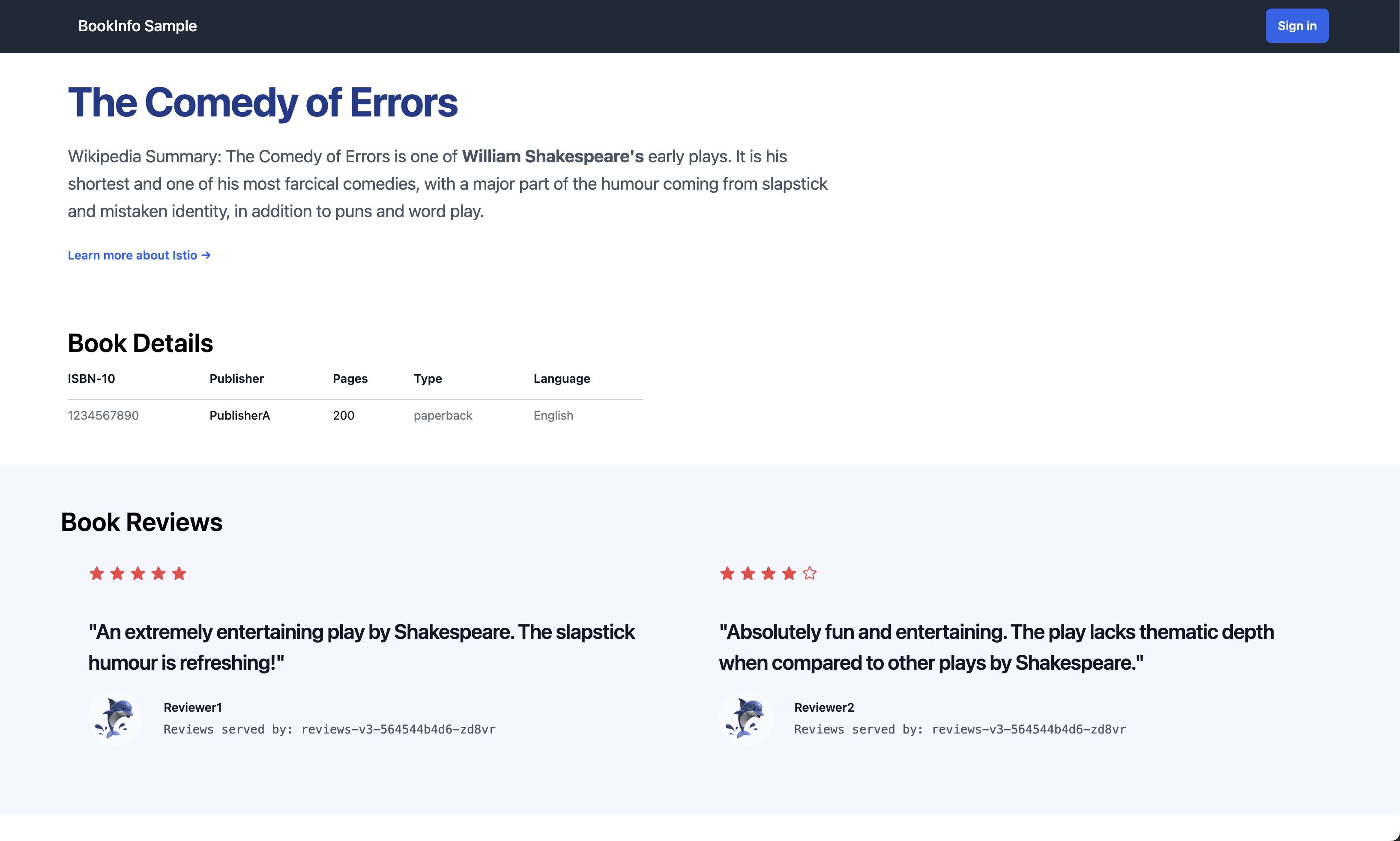
Then apply virtual-service-reviews-jason-v2-v3.yaml. Next, log in as user jason (use jason as the username and any password).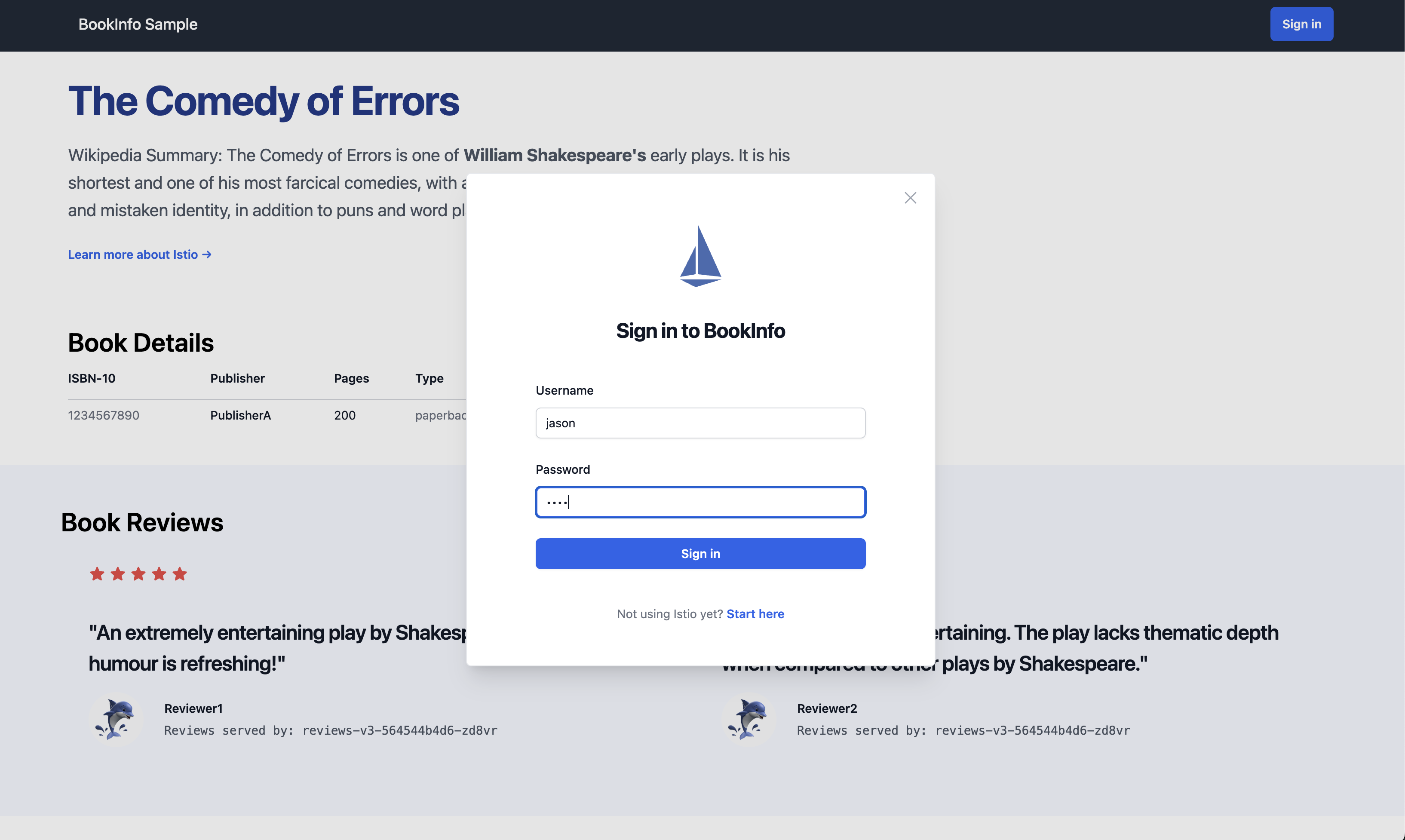 After logging in, only v2 (black stars) is shown. For other users, or when logged out, only v3 (red stars) is shown.
- User jason
- User john
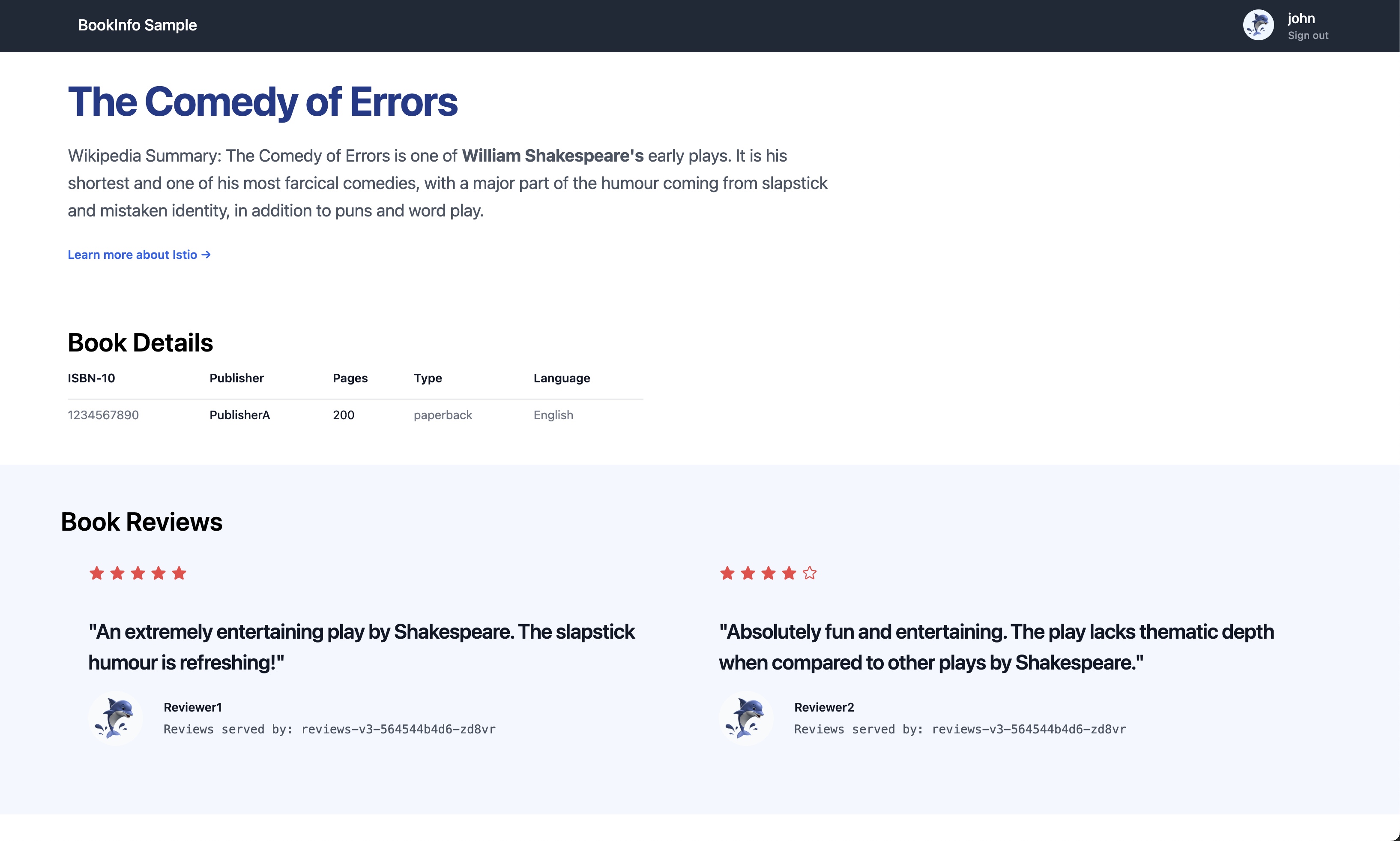 Looking at
 virtual-service-reviews-jason-v2-v3.yaml:
apiVersion: networking.istio.io/v1
kind: VirtualService
metadata:
  name: reviews
spec:
  hosts:
  - reviews
  http:
  - match:
    - headers:
        end-user:
          exact: jason
    route:
    - destination:
        host: reviews
        subset: v2
  - route:
    - destination:
        host: reviews
        subset: v3
This means that if the end-user value in the HTTP request header is jason, traffic is routed to v2; otherwise, it is routed to v3.
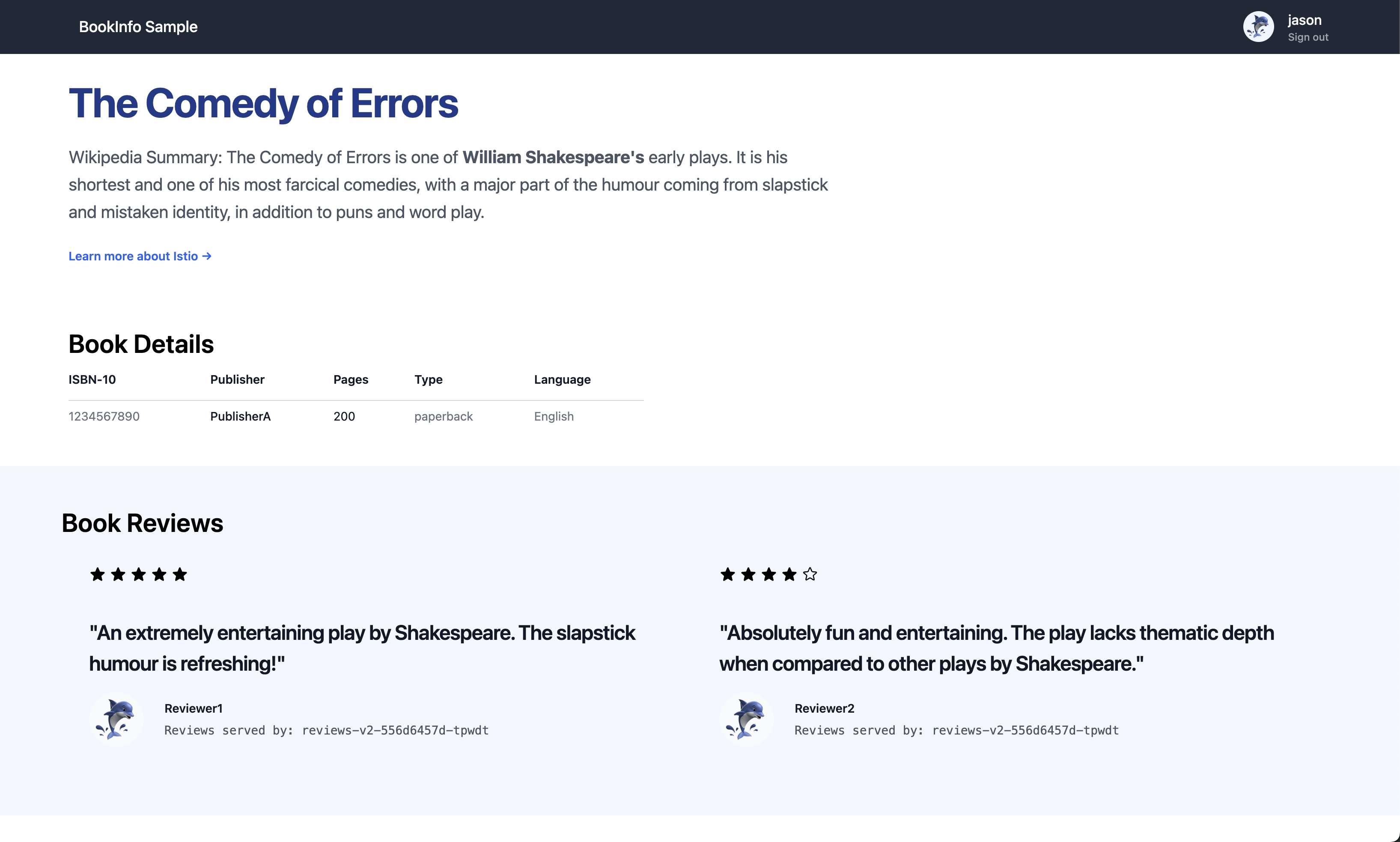
Let’s add a rule so that requests with end-user john are routed to v1.
# virtual-service-jason-v2-john-v1.yaml
apiVersion: networking.istio.io/v1
kind: VirtualService
metadata:
  name: reviews
spec:
  hosts:
  - reviews
  http:
  - match:
    - headers:
        end-user:
          exact: jason
    route:
    - destination:
        host: reviews
        subset: v2
  - match:
    - headers:
        end-user:
          exact: john
    route:
    - destination:
        host: reviews
        subset: v1
  - route:
    - destination:
        host: reviews
        subset: v3
Create the file above and apply it.
- User jason (v2)
- User john (v1)
- No user (all other users) (v3)
4. Conclusion
By installing Istio myself and applying it to a sample application, I was able to get a more hands-on feel for how a service mesh actually works. Concepts that had felt vague when I had only encountered them in theory became much easier to understand when I could see how traffic flow was controlled and routed to each version during the exercise.
So far, I have only covered basic traffic management and routing, and there is still a lot to learn, including security (mTLS), Policy, and Observability. Going forward, I plan to work through and document practical operational considerations and the various advanced features Istio provides.
>> Home