I had quite a bit of GCP Free trial Credit left, so I tried building GKE as if it were for a real-world environment and restricting access at the network layer through Tailscale.
1. Terraform
The directory structure is as follows.
.
├── main.tf
├── modules
│   ├── gke
│   │   ├── main.tf
│   │   └── variables.tf
│   ├── network
│   │   ├── main.tf
│   │   └── output.tf
│   └── vm
│       ├── main.tf
│       └── variables.tf
I modularized the configuration by defining the required resources inside modules and creating the actual resources from the root main.tf.
network
First, I will define the resources for creating a VPC and subnet.
// main.tf
resource "google_compute_network" "vpc" {
  name                    = "gke-module-vpc"
  auto_create_subnetworks = false
}

resource "google_compute_subnetwork" "subnet" {
  # Node IP range
  name          = "gke-module-subnet"
  region        = "asia-northeast3"
  network       = google_compute_network.vpc.id
  ip_cidr_range = "10.10.0.0/24"

  # IP ranges for GKE (Pods and Services)
  secondary_ip_range {
    range_name    = "pod-ranges"
    ip_cidr_range = "192.168.0.0/18"
  }
  secondary_ip_range {
    range_name    = "service-ranges"
    ip_cidr_range = "192.168.64.0/18"
  }
}
I assigned 10.10.0.0/24 to worker node IPs, and 192.168.0.0/18 and 192.168.64.0/18 to the IPs used by pods and services.
Then I exposed the outputs so they can be used later.
// output.tf
output "network_name" {
  value = google_compute_network.vpc.name
}

output "subnet_name" {
  value = google_compute_subnetwork.subnet.name
}
network_name and subnet_name can be used in the root main.tf.
GKE
Next, I’ll define the Kubernetes resources.
// variables.tf
variable "region" {}

variable "network_name" {}

variable "subnet_name" {}
These are left empty because their values will be passed in from the network module.
// main.tf
resource "google_container_cluster" "primary" {
  name     = "modular-cluster"
  location = "${var.region}-a"

  remove_default_node_pool = true
  initial_node_count       = 1

  network    = var.network_name // Use the variable
  subnetwork = var.subnet_name

  deletion_protection = false

  ip_allocation_policy {
    // Use the pod-ranges and service-ranges defined in the network module
    cluster_secondary_range_name  = "pod-ranges"
    services_secondary_range_name = "service-ranges"
  }

  private_cluster_config {
    enable_private_nodes    = true
    enable_private_endpoint = true
    master_ipv4_cidr_block  = "172.16.0.0/28"
  }

  master_authorized_networks_config {
    cidr_blocks {
      display_name = "Internal VPC"
      cidr_block   = "10.10.0.0/24"
    }
  }
}

resource "google_container_node_pool" "primary_nodes" {
  name       = "modular-node-pool"
  location   = "${var.region}-a"
  cluster    = google_container_cluster.primary.name
  node_count = 1 // Number of worker nodes

  node_config {
    spot         = true // Use a Spot instance for learning purposes
    machine_type = "e2-medium"
    oauth_scopes = ["https://www.googleapis.com/auth/cloud-platform"]
  }
}
priavte_cluster_config: A setting that blocks all external accessmaster_ipv4_cidr_block: Specifies the control plane’s IP range.enable_private_endpoint: Sets the control plane IP to a private IP (master_ipv4_cidr_block) rather than a public IP, blocking external access.master_authorized_networks_config: A whitelist that allows access from the specified range. In other words, access from within the same VPC is allowed. Since the Tailsclae vm will be in the same VPC, I configured it this way.
I set deletion_protection to false because this is for learning.
Running it
Write the root main.tf file.
provider "google" {
  project = "gke-learning-481507" // Name of the GCP project I created
  region  = "asia-northeast3"
}

module "my_network" { // Use the network module
  source = "./modules/network"
}

module "my_gke" { // Use the GKE module
  source = "./modules/gke"
  region = "asia-northeast3"

  network_name = module.my_network.network_name
  subnet_name  = module.my_network.subnet_name
}
Leave it as is and run terraform plan -> terraform apply.
 The operation completed, and when I check the console:
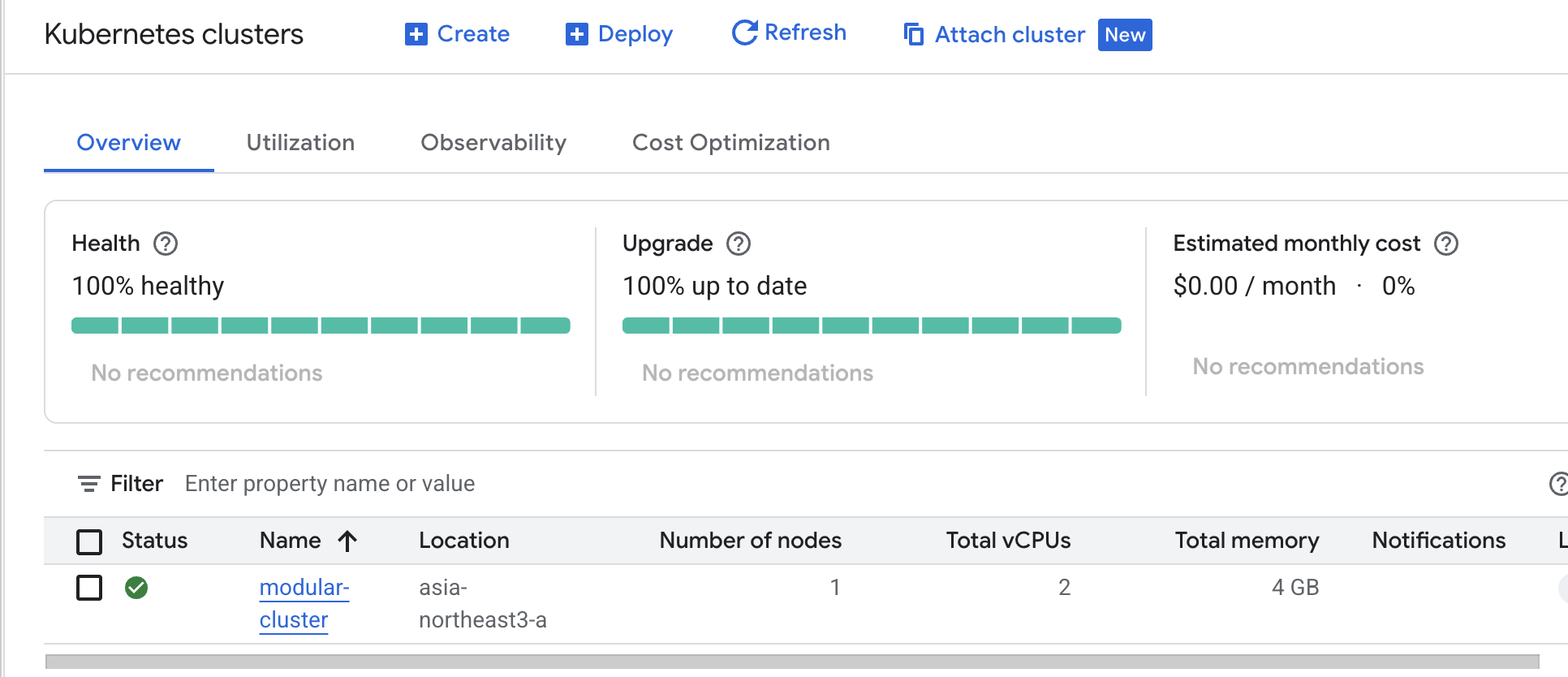 The Kubernetes cluster has been created.
 The vm instance (worker node) has been created.
There is one vm instance because I set the node count to 1, and the control plane is not visible because I am not the one managing it.
The vm instance (worker node) has been created.
There is one vm instance because I set the node count to 1, and the control plane is not visible because I am not the one managing it.
Now I’ll try accessing it using the gcloud command.
I retrieve the context with gcloud container clusters get-credentials modular-cluster --location=asia-northeast3-a, then try making a request to the API server with kubectl. As expected, communication fails.
All external access is blocked, and the control plane has a private IP, so external access is fundamentally impossible.
In this situation, people usually start a Bastion server. Instead, I’ll start a VM to use Tailscale, which is easier for me to manage, and access the cluster through it.
VM
variable "region" {}
variable "network_name" {}
variable "subnet_name" {}
As with GKE, the VM will receive values to use, so I declare the variables without values.
// main.tf
resource "google_compute_instance" "tailscale_router" {
  name         = "tailscale-router"
  machine_type = "e2-micro"
  zone         = "${var.region}-a"
  boot_disk {
    initialize_params {
      image = "debian-cloud/debian-11"
    }
  }

  tags = ["tailscale-router"]

  network_interface {
    network    = var.network_name
    subnetwork = var.subnet_name
    access_config {}
  }
  can_ip_forward          = true
  metadata_startup_script = "echo 'net.ipv4.ip_forward = 1' | sudo tee -a /etc/sysctl.d/99-tailscale.conf && sudo sysctl -p /etc/sysctl.d/99-tailscale.conf"
}

# 2. Firewall rule allowing SSH access (for initial setup)
resource "google_compute_firewall" "allow_ssh" {
  name    = "allow-ssh-to-router"
  network = var.network_name # Use the variable

  allow {
    protocol = "tcp"
    ports    = ["22"]
  }

  source_ranges = ["0.0.0.0/0"]
  target_tags   = ["tailscale-router"]
}
Since it only needs to act as a router, I chose a lightweight instance type.
Also, because the target_tags of the Security rule below is set to tailscale-router, the VM’s tags must also be tailscale-router for that rule to apply and allow SSH access.
can_ip_forward and metadata_startup_script are settings required to use Tailscale’s functionality. You can omit them and configure them manually after connecting remotely.
Now return to the root main.tf and write the code that uses this module.
provider "google" {
  project = "gke-learning-481507"
  region  = "asia-northeast3"
}

module "my_network" {
  source = "./modules/network"
}

module "my_gke" {
  source = "./modules/gke"
  region = "asia-northeast3"

  network_name = module.my_network.network_name
  subnet_name  = module.my_network.subnet_name
}

// Use the VM module
module "my_tailscale" {
  source = "./modules/vm"
  region = "asia-northeast3"

  network_name = module.my_network.network_name
  subnet_name  = module.my_network.subnet_name
}
Now run terraform plan -> terraform apply again.
 Two resources (firewall, vm) have been added.
Connect via SSH using the gcloud command.gcloud compute ssh tailscale-router --zone asia-northeast3-a
After connecting, check ip_forward.
~$ cat /etc/sysctl.d/99-tailscale.conf
net.ipv4.ip_forward = 1
Tailscale
Now that I’ve confirmed the ip_forward setting, all that’s left is to install Tailscale and configure routing.
curl -fsSL https://tailscale.com/install.sh | sh
After installation, run the command to route the specified ranges.
sudo tailscale up --advertise-routes=10.10.0.0/24,172.16.0.0/28
This lets the VM route to the 10.10.0.0/24 range (the internal VPC) and the 172.16.0.0/28 range (the control plane).
After entering the command, you’ll be prompted to log in. Sign in, then approve the subnet on the admin page that opens.
Click the machine on the admin page and you will see the subnet item as shown below.
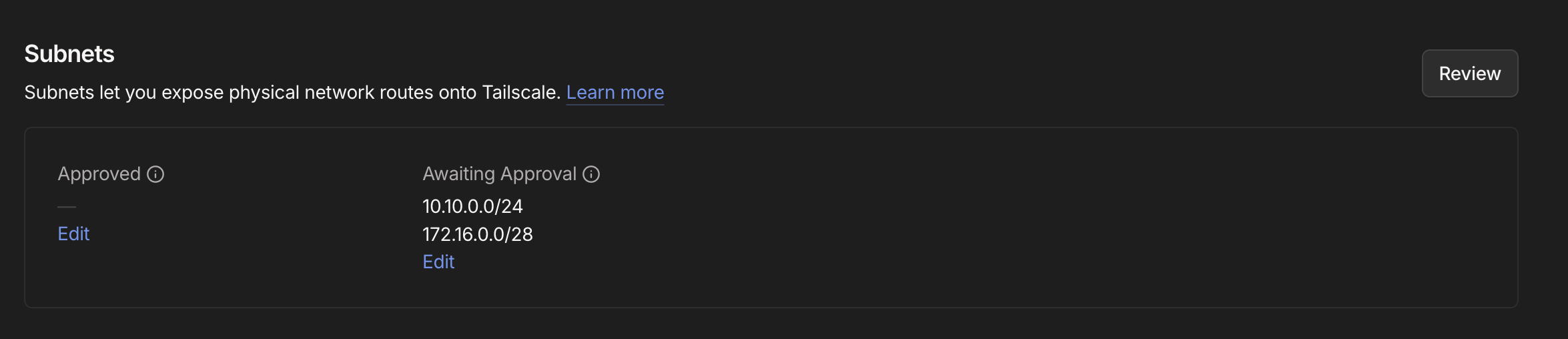 Click edit and approve it.
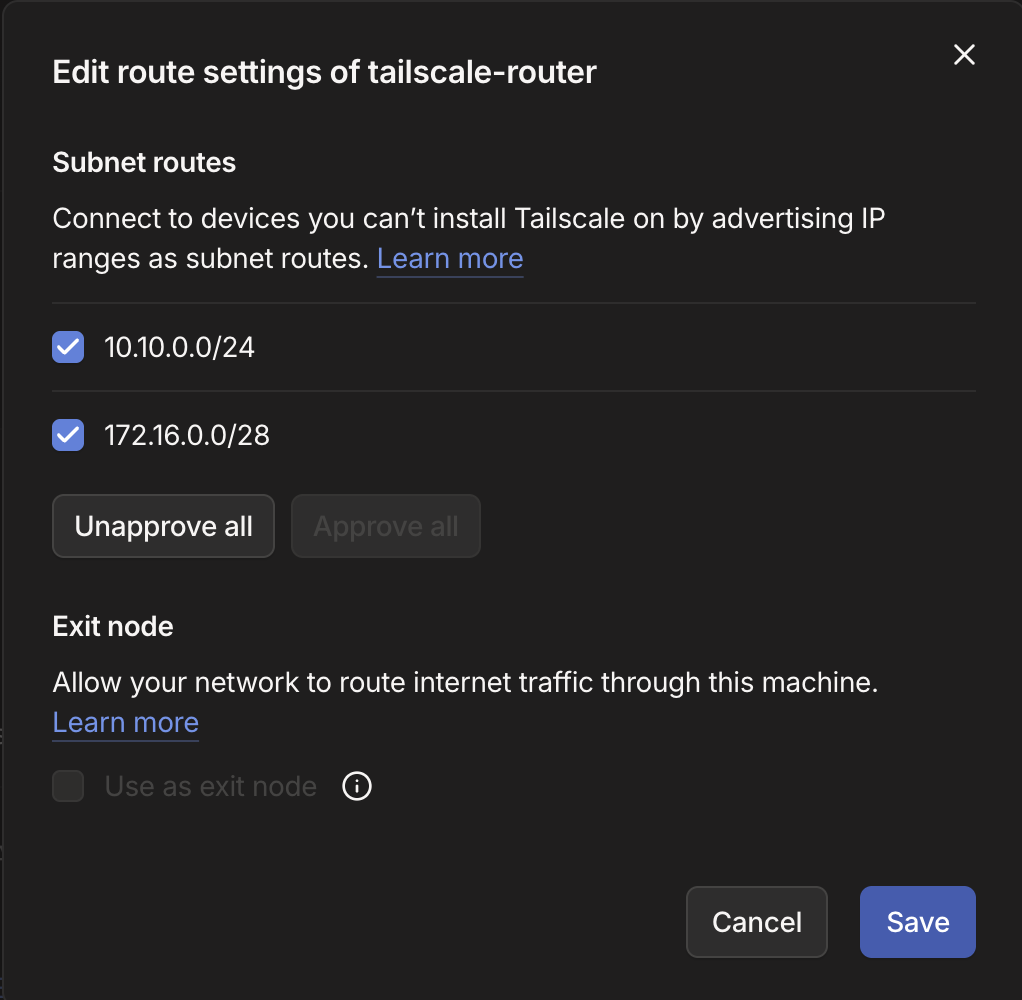
Now try making a request to the API server again using the kubectl command.

Conclusion
I tried restricting access to GKE using Tailscale.
In a real-world environment, I would divide permissions in more detail based on IAM and Service accounts, but since I’m the only user for now, I explored restricting access at the lower network layer.
After working with Kubernetes in a bare-metal environment, managed Kubernetes feels really convenient and easy.
This can be done for free using credits, and even without credits the cost is not high, so it seems useful for learning.